Try our cookies Alza.cz a. s., Company identification number 27082440, uses cookies to ensure the functionality of the website and with your consent also to personalisage the content of our website. By clicking on the “I understand“ button, you agree to the use of cookies and the transfer of data regarding the behavior on the website for displaying targeted advertising on social networks and advertising networks on other websites.
Alzak icon
Catalogue
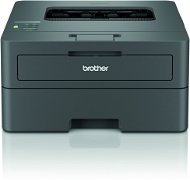
Brother HL-L2442DW - Laser Printer

Reviews Brother HL-L2442DW

Interested in reviews of Brother HL-L2442DW? It got 4.7 out of 5 stars from our customers. Find specific customer reviews of Brother HL-L2442DW below. We will appreciate if you also share your experiences with Brother HL-L2442DW after purchasing.

User Reviews

Petr, Prahaflag
Rated 11/06/2025, variant Brother HL-L2442DW
Verified purchase
When any job is entered, it prints only an infinite number of blank A4s.
doesn't work
0 ×Report
Automatic translation
Customer, Prahaflag
Rated 08/05/2025, variant Brother HL-L2442DW
Verified purchase
Android would not connect. had to manually connect to WiFi and add long password which was long and awkward. once setup it works fine on the network.
works well once set up
double side good feature
quality printing
setup was a nightmare
0 ×Report
Zdeněk, Bučoviceflag
Rated 14/04/2025, variant Brother HL-L2442DW
Verified purchase
My printer is quite far from my computer, so I can't have it connected by cable. But that's okay, because wireless printing is very fast and hassle-free. I spent a long time choosing a reliable printer and I think I chose well.
Easy and quick installation on the first try
Reversible and fast printing
Paper in a tray inside the printer so it doesn't get dusted
0 ×Report
Automatic translation
Ondřej, Skutečflag
Rated 04/04/2025, variant Brother HL-L2442DW
Verified purchase
after a week of not using it, I can't print anything on my Mac via air print. direct wifi has the password to connect on the display, but the network says I have the wrong password, I've reset everything, I've entered the wifi password about 30 times (it's a joy). it's been printing for a week, now I'd throw it away. maybe on win with cable. Waste.
just trouble. Mac and this doesn't work. suitable for pc users with usb cable. only problems over wifi.
0 ×Report
Automatic translation
Aleš, Neratoviceflag
Rated 12/02/2025, variant Brother HL-L2442DW
Verified purchase
prints quickly
connected via wifi simple I don't know why anyone has a problem with this.
quiet when printing
probably none
0 ×Report
Automatic translation
Petr, Unhošťflag
Rated 13/01/2025, variant Brother HL-L2442DW
Verified purchase
quick installation
wifi
relatively quiet
0 ×Report
Automatic translation
Anonymous customerflag
Rated 20/11/2024, variant Brother HL-L2442DW
Verified purchase
Easy installation, works as it should so far
0 ×Report
Automatic translation
David, Havířov 1flag
Rated 28/10/2024, variant Brother HL-L2442DW
Verified purchase
Great printer. Quick installation and connection to wifi. I highly recommend it to everyone
0 ×Report
Automatic translation
Anonymous customerflag
Rated 11/10/2024, variant Brother HL-L2442DW
Verified purchase
relatively robust design, nice design, size, simplicity, speed of initialization of the first page of printing
0 ×Report
Automatic translation
Anonymous customerflag
Rated 01/10/2024, variant Brother HL-L2442DW
Verified purchase
Firmware update over the network failed - no error message. Contacting [email protected] resulted in a recommendation that I seek service (printer a few hours out of the box). Sub-questions (whether it's a frequent/registered/ or network - USB would help) were ignored - after urgings the problem was denied and service recommended again. I wrote an email to [email protected] - nobody has addressed the email for a week. Urgency on the phone - the email supposedly goes to the boss's file and he doesn't deal with these issues. The "support" had one job - to direct me to fill out a form for the carrier to pick up the printer. - No one knowledgeable about the problem was available on the support line. The technician said the only way to do that is by email. So I sent an email again, this time to [email protected]. Unfortunately, the person who arrogantly answered me was the same person from the phone conversation - send the printer. I expressed my dislike for such behaviour and demanded a statement from the technician - he said I should contact brother.cz. There, they returned me to the service station again. Result - I got a USB cable - fiddled with restarting the printer so that it didn't go into deep sleep mode (the main suspect) and the upgrade was successful. Of course, I'm not the only one with problems (see local posts and e.g. https://www.reddit.com/r/techsupport/comments/100lig5/unable_to_update_firmware_on_brother_printer/). The next time a company plays green, look at how they are solving the problem with their products. Brother obviously prefers to ship packages back and forth without having the knowledge base and educated professionals who would be able to solve the problem from the keyboard. The fact that vspdata.cz is on it is just the icing on the cake. I would start by having products return meaningful error messages.
entering wifi password on single-frame display
technical support / service
poor wifi
0 ×Report
Automatic translation
11 - 20 from 35
P-DC1-WEB10
30 év tapasztalat az e-kereskedelemben
3 million megrendelés évente
a vásárlók 98% visszatérõ
Több infó