Try our cookiesAlza.cz a. s., Company identification number 27082440, uses cookies to ensure the functionality of the website and with your consent also to personalisage the content of our website. By clicking on the “I understand“ button, you agree to the use of cookies and the transfer of data regarding the behavior on the website for displaying targeted advertising on social networks and advertising networks on other websites.
We use 8 categories of cookies on our website:
Technical cookies
These are strictly necessary for the functioning of the website and the features you choose to use. Without them, our website would not work; you wouldn't be able to log in to your user account, for example.
Functionality cookies
These cookies allow us to remember your basic choices and improve the user experience. These include remembering your preferred language or allowing you to stay logged in permanently.
Social media cookies
These cookies allow us to easily link you to your social media profile and, for example, allow you to share products and services with your friends and family.
Content personalisation
These cookies allow us to show you content and ads according to the information we have about you to best meet your needs. This includes what content you have viewed, or on what device you are accessing our website.
Non-personalised advertising
These cookies allow us to show you general ads for products and services.
Personalised advertising
Thanks to these cookies, we and our partners can offer you relevant products and services based on your purchases, your shopping behaviour and your preferences.
Audience metrics
These cookies allow us to optimise our site for your convenience based on how you use it. The aim is to remember or anticipate your choices. This includes, for example, the use of features, their location, or the behaviour on the page.
Third party cookies
These are third party cookies, and you can find out more about them and our partners here.
By giving your consent to the processing of cookies, functionality and analytical cookies will be installed on the device you use to browse the website (click on the "I understand" button for both categories, or you can select only one of the categories by clicking on the "Settings" button). We always install technical cookies on your device, even without your explicit consent, because without them our website would simply not work.
You can revoke your consent to the processing of cookies. In connection with our company's cookie processing, you also have the following rights: the right to access cookies, delete, modify, supplement and correct them, restrict processing and the right to lodge a complaint with the Office for Personal Data Protection. Read more about your rights.
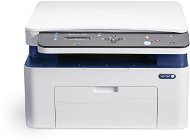
Interested in reviews of Xerox WorkCentre 3025BI? It got 4.5 out of 5 stars from our customers. Find specific customer reviews of Xerox WorkCentre 3025BI below. We will appreciate if you also share your experiences with Xerox WorkCentre 3025BI after purchasing.
easy to use and setup, menu in Czech, wifi, printing directly from Airprint phone
does not have a paper drawer that overhangs the printer when inserted.
0 ×Report
Automatic translation
Customer
Rated 27/06/2016, variant Xerox WorkCentre 3025BI
Verified purchase
Efficiency, trouble-free operation, brand
Setting up wi-fi but only if you install the software without the printer connected.
0 ×Report
Automatic translation
Martin, Praha
Rated 03/05/2016, variant Xerox WorkCentre 3025BI
Verified purchase
Fast printer with simple operation. Simple connection of the printer via wifi, the overall setup and connection of the printer is a matter of about 5 minutes. Quality workmanship and design.
Perhaps only the display could be better positioned and easier to read.
0 ×Report
Automatic translation
Martin, Žilina
Rated 18/03/2016, variant Xerox WorkCentre 3025BI
Verified purchase
I hope it serves you well. I have printed only a few pages so far after installation and I will print only sporadically on it (the ink drying with only infrequent use was the reason why I am getting rid of the old inkjet and switching to laser). Great is the possibility of printing, prip. scanning when connecting your laptop wirelessly to the printer.
You need to find some YouTube videos that make the basic setup easier (so that the configuration page doesn't print every time you turn on the printer, etc. ) According to the following sentence in the description I felt that I would be able to print directly from the USB stick/external HDD, which is not true: "Take advantage of the USB 2.0 connector to connect external storage with direct printing without the need for a computer"
0 ×Report
Automatic translation
Tomáš, Ostrava
Rated 03/01/2016, variant Xerox WorkCentre 3025BI
Verified purchase
I didn't expect such a large number of features in such a small device, Xerox no.
Fast, absolutely great for the home where it doesn't print much and can stand up anywhere thanks to WiFi.
WiFi settings are possible via the display, and the menu is in Czech. Many people write that you need to connect the printer to a PC and then set up WiFi through the app. It's not true.
He doesn't have a duplex.
0 ×Report
Automatic translation
Aneta, Praha 3 - Žižkov
Rated 20/12/2015, variant Xerox WorkCentre 3025BI
Verified purchase
quality printing
great price
toner lasts a long time
easy operation and installation
if you insert more paper, the printer reports an error, so you have to insert papers about 30 at a time. For me it's not a problem, but if you print multiple copies, you have to watch and refill the papers
0 ×Report
Automatic translation
Dušan
Rated 07/10/2015, variant Xerox WorkCentre 3025BI
Verified purchase
print speed and quality
excellent control of the manual double-sided press
dimensions
hassle-free installation (first you need to install the printer via usb cable, then, Wifi)
good printing and scanning software
one paper tray
poorly readable display
expensive toner (even non-original)
printing of the service page after switching on must be cancelled in the settings
0 ×Report
Automatic translation
Jan, Brandýs nad Labem-Stará Boleslav 1
Rated 29/09/2015, variant Xerox WorkCentre 3025BI
Verified purchase
Compact
Fast printing
All annoying features can be disabled in the settings (e.g. print diagnostic page on startup)
So far I have only started the scanner via the supplied Xerox software