Wondershare Filmora 16, Windows (electronic licence)
Video Software - Wondershare Filmora intended for 1 device(s), permanent license, install through download (electronically), appropriate for households, for businesses and for schools, intended for PC, compatible with Windows operating system(s)
Wondershare Filmora 16, Windows (electronic licence) 21,590 Ft Ordered on request
Buy
Wondershare Filmora 16, Windows (electronic licence)
The product requires an up-to-date operating system.
AI-powered video creation
Wondershare Filmora 16 video editor offers tools for cutting, editing and creative video processing powered by artificial intelligence. It lets you convert ideas into moving scenes, expand video using the AI expansion tool, remove unwanted objects and backgrounds, and enhance image quality to exceptionally sharp detail. AI-powered effects are also at hand to help you customise the look of your footage and give the final video a personal style.
Key features of Wondershare Filmora 16 video software, Windows (digital licence)
Video editor with AI tools
AI video expansion and motion generation
Unwanted object and background removal
AI-powered image quality enhancement
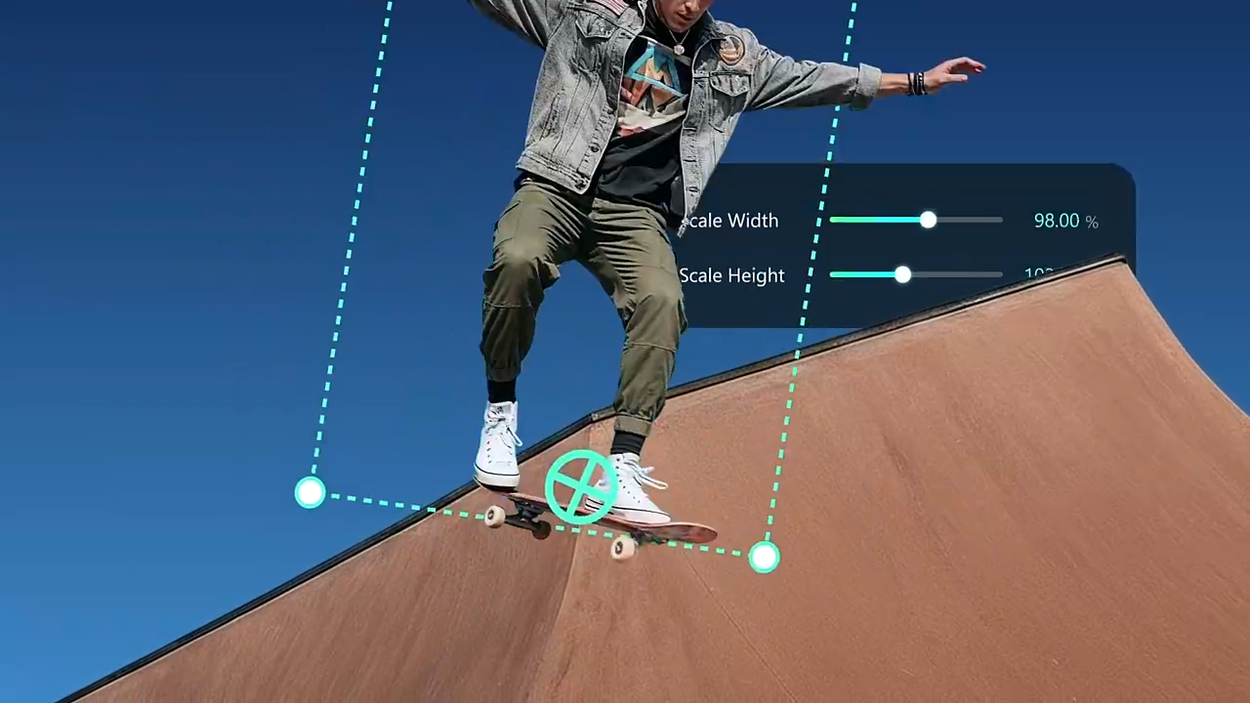
Pen tool for drawing motion paths and editing curves
Anchor points and keyframes for motion control
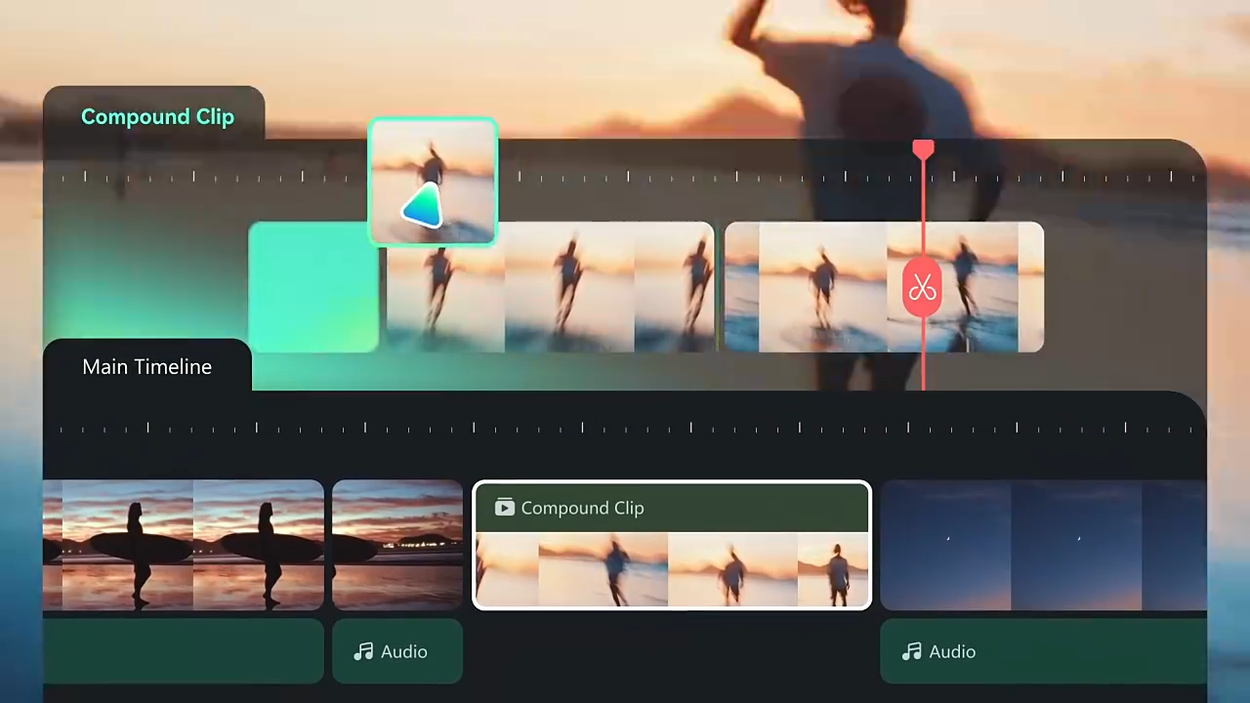
Dual-timeline editing
Sub-project import and AI colour matching
Dynamic subtitles and AI voice enhancement
Animated charts and screen recording
Library of templates, effects, music, sounds, filters and transitions
Cross-platform creation between PC, mobile and other devices
Video software with precise editing
When doing detailed work in Wondershare Filmora 16, you will appreciate the tools for precise control over motion and individual scenes. The pen tool lets you draw motion paths, adjust curves with speed control, and create smooth transitions. Anchor points and keyframes let you precisely set timing, object movement and visual depth. This adds more dynamics to edits and lets you tailor the movement to your intended narrative.
Clear timeline workflow
Wondershare Filmora 16 supports dual-timeline editing, which lets you view the source material and the final sequence simultaneously. You can compare, trim and synchronise individual shots with high precision. Importing sub-projects makes working on larger videos easy and lets you merge footage from different cameras. AI colour matching helps unify their appearance and maintain the visual continuity of the final film.
Filmora 16 adds subtitles and animated graphics
To make your content easier to understand, Wondershare Filmora 16 offers dynamic subtitles that you can customise to match the visual style of your video. Artificial intelligence also helps enhance voices, making speech clearer and easier to understand. Animated charts let you convert numerical data into clear visual presentations, highlight results and present strategies. Screen recording is also available, which is ideal for creating marketing videos.
Creative content and effects
The Wondershare Filmora 16 environment includes a wide range of creative assets and ready-made templates. Millions of royalty-free creative resources are available, which include effects, music, sounds, filters, LUTs, stickers, subtitles and transitions. The selection is complemented by media libraries and extensions from premium content partners. Ready-made templates and professional effects simplify visual video processing and expand your editing possibilities.
Wondershare Filmora 16 video software supports cross-device creation
With Wondershare Filmora 16, you can work on both PC and mobile devices, continuing your creation across platforms. Designed for a wide community of creators, the program offers tools for projects ranging from casual personal videos to professional-grade production. It combines classic editing features with video generation and artificial intelligence tools.
Install the software and log in to your account in the top right corner. Use the same email address as the Wondershare account where you activated the licence!!
Try our cookiesAlza.cz a. s., Company identification number 27082440, use cookies and other data to ensure the proper functioning of the website and, with your consent, also, among other things, to personalize advertising and the content of our websites. By clicking on the “I understand“ button, you agree to the use of cookies and the transfer of data regarding the behavior on the website for displaying targeted advertising on social networks and advertising networks on other websites.
We use 8 categories of cookies on our website:
Technical cookies
These are strictly necessary for the functioning of the website and the features you choose to use. Without them, our website would not work; you wouldn't be able to log in to your user account, for example.
Functionality cookies
These cookies allow us to remember your basic choices and improve the user experience. These include remembering your preferred language or allowing you to stay logged in permanently.
Social media cookies
These cookies allow us to easily link you to your social media profile and, for example, allow you to share products and services with your friends and family.
Content personalisation
These cookies allow us to show you content and ads according to the information we have about you to best meet your needs. This includes what content you have viewed, or on what device you are accessing our website.
Non-personalised advertising
These cookies allow us to show you general ads for products and services.
Personalised advertising
Thanks to these cookies, we and our partners can offer you relevant products and services based on your purchases, your shopping behaviour and your preferences.
Audience metrics
These cookies allow us to optimise our site for your convenience based on how you use it. The aim is to remember or anticipate your choices. This includes, for example, the use of features, their location, or the behaviour on the page.
By giving your consent to the processing of cookies, functionality and analytical cookies will be installed on the device you use to browse the website (click on the "I understand" button for both categories, or you can select only one of the categories by clicking on the "Settings" button). We always install technical cookies on your device, even without your explicit consent, because without them our website would simply not work.
You can revoke your consent to the processing of cookies. In connection with our company's cookie processing, you also have the following rights: the right to access cookies, delete, modify, supplement and correct them, restrict processing and the right to lodge a complaint with the Office for Personal Data Protection. Read more about your rights.