


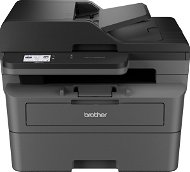
Reviews Brother MFC-L2802DW
Interested in reviews of Brother MFC-L2802DW? It got 4.4 out of 5 stars from our customers. Find specific customer reviews of Brother MFC-L2802DW below. We will appreciate if you also share your experiences with Brother MFC-L2802DW after purchasing.
User Reviews

Customer, Budapest
Rated 16/10/2024, variant Brother MFC-L2802DW
Verified purchase
Fast enought for home or small office use. I set it up once and just works.
Easy to print and scan via Brother Mobile Connect app from my Android phone + wifi
You can use the LCD screen to change settings OR there is an inbuilt web server for the same.
No need additional driver for Windows11 printing. However, scanning and printing just works great with Windows11 if you install the Brother iPrint&Scan application.
Enought space to store lots of papers.
Dedicated button for copy function.
... and there are other features as well what I will never use for sure. :-)
This is not the biggest unit, but it is a good idea to measure twice before buy one.
0 ×Report

Company
Rated 18/06/2026, variant Brother MFC-L2802DW
Verified purchase
Multifunctional: printing, scanning, photocopying, faxing.
Automatic double-sided printing.
Wi-Fi, LAN, USB, AirPrint.
ADF feeder for scanning multiple sheets of paper.
A 250-sheet paper tray.
Toner for up to 3,000 pages.
Not for photos or graphics – it’s mainly an office printer.
It is larger and heavier than a standard home printer.
0 ×Report
Automatic translation

Miroslav, Beroun Zdejcina
Rated 17/01/2026, variant Brother MFC-L2802DW
Verified purchase
I hope I will be satisfied with the goods - I only have the printer for a few hours - but I am not satisfied with the sale - I chose an unpacked product from the offer - probably more out of sympathy - unfortunately there was no manual included - the power cord was missing - and the panel was switched to Hungarian! - I don't know if the cable is standard, but I would expect it - I would also expect an inspection of the returned product, and if the previous buyer doesn't return it in good order, I wouldn't refund all their money, but most importantly, I would have the printer unpacked and reset to factory settings before reselling it - there is not a single mention of language settings in the complete Brother manual - only ChatGPT and the translator helped me - I will never make the mistake of helping Alza out of an unpacked product again
0 ×Report
Automatic translation
Hana, Klapý
Rated 05/01/2026, variant Brother MFC-L2802DW
Verified purchase
I bought the one with the feeder mainly for copying. Unfortunately, it cannot make duplex copies via the feeder. It must be laid by hand on the glass.
easy pairing with PC via WiFi
Double-sided printing
Cannot make duplex copies through the feeder
0 ×Report
Automatic translation

Jan, Praha 9 - Černý Most
Rated 09/12/2025, variant Brother MFC-L2802DW
Verified purchase
Printer printed with stripes after 2 months, glitch
For amateur use only
Response to commands is long, never more
0 ×Report
Automatic translation

Základní Škola ing.M.Plesingera-Božinova Neratovice, Neratovice
Rated 02/10/2025, variant Brother MFC-L2802DW
Verified purchase
prints accurately and quickly
great printer
none
0 ×Report
Automatic translation
Anonymous customer
Rated 19/06/2025, variant Brother MFC-L2802DW
Verified purchase
Absolutely perfect printer
I've always bought ink cartridges, but after trying the laser - I don't even care for anything colored anymore.
Quick
Toner does not dry out and can print hundreds of pages
Large paper tray
Car Delivery
Wifi
Scan, print and copy quality
Software
It was a bit of a struggle to set up the scanner with windows 11, but in the end we managed it successfully: -)
The printer offers the option to send scanned copies to email. But it can only send small documents. If you scan a multi-page document, sending it to email crashes and you don't have the option to choose a different sending method. You just get a beep with a file and lose the scanned data.
The button controls are quite difficult, but it just takes some getting used to. I can't compare with similar devices from other manufacturers.
0 ×Report
Automatic translation

Jiří, Hostivice
Rated 14/06/2025, variant Brother MFC-L2802DW
Verified purchase
I have the printer connected to the network and it is still getting the same IP address from DHCP. Prints and scans from Windows 10, Windows11 (custom driver installation on both systems for iPrintScan functionality and iPrintScan installation without the offered enhancement). It prints from Debian Linux (using only the driver and installation instructions). Copying with the buttons on the printer works too. Mechanically, it looks good. So far I don't need more, so I'm satisfied.
Setting up the printer using the buttons is not perfect. Sometimes you need to go back to the default settings and continue again. Fortunately, this is only done once. A lot of the buttons are dedicated to fax control, which I don't need. You can't use network connection and WiFi connection at the same time.
The Linux driver is outdated and may not work in the future. The warning is copied from the driver installation.
dpkg: Warning: overriding problem because --force enabled:
dpkg: Warning: package architecture (i386) does not match system (amd64)
lpadmin: Printer drivers are deprecated and will stop working in a future version of CUPS.
0 ×Report
Automatic translation

Kateřina, Plzeň 23
Rated 05/05/2025, variant Brother MFC-L2802DW
Verified purchase
Excellent "machine"
works great over wifi
scans in colour
Cheap comp. toners
Excellent scanner and print feeder
Satisfaction..: -)
low noise
Start toner only for a few pages (but can be refilled.
does not load every compact, chip
some App without English: -)
0 ×Report
Automatic translation
Company
Rated 01/04/2025, variant Brother MFC-L2802DW
Verified purchase
Unfortunately it does not have a duplex for scanning only for printing.
0 ×Report
Automatic translation
