


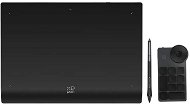
Reviews XPPen Deco Pro MW (2nd Gen) + RC
Interested in reviews of XPPen Deco Pro MW (2nd Gen) + RC? It got 4.3 out of 5 stars from our customers. Find specific customer reviews of XPPen Deco Pro MW (2nd Gen) + RC below. We will appreciate if you also share your experiences with XPPen Deco Pro MW (2nd Gen) + RC after purchasing.
User Reviews

Anonymous customer
Rated 24/10/2026, variant XPPen Deco Pro MW (2nd Gen) + RC
Verified purchase
I originally bought the Deco LW from XPPen and was very pleasantly surprised for the price. The only thing that didn't suit me was how thin the pen was. I had been working with an Intuos PRO for many years, and that tiny pen was really hard to get used to. So I handed the Deco LW down to my son, who isn't biased by Wacom, and got myself this Deco Pro MW. There are a few things that annoy me about this tablet: in my opinion, the Deco LW had a much better size (and ratio) of both active and overall area. On the horizontal plane, there is a needlessly small margin beyond the active area, which is a bit uncomfortable at first when working at the edge of the screen. Conversely, the margin on the vertical plane (the wrist rest) seems overrated to me and takes up 2cm more of the tablet's height than necessary. When the computer goes to sleep and the USB port "disconnects", the tablet starts signaling that it is searching for a BT device, so you have to turn the tablet off manually. Allegedly, this is supposed to happen automatically after a certain period of time, but I haven't had the patience to test yet whether it actually does, or how long it takes. For someone used to gestures from Wacom, their absence on the XPPen might be a negative. Personally, I never used them, so it's not an issue for me. The pen is great. I basically couldn't tell it apart from the Intuos PRO pen when in use. It has a similar hover distance (much larger than the "pencil" of the Deco LW). Although you can't swap the surface of the tablet for different materials like the sheets on Wacom, it is otherwise nice to work on. The separate shortcut keys are also a great idea in my book.
Excellent value for money. For less than half the price (even less than a third when on sale), you get 90% of the performance of a professional Wacom Intuos tablet. For my type of use (without gestures), it is basically a fully-fledged replacement.
Separate programmable buttons.
The pen. Anyone who is used to the Intuos PRO pen will hardly notice any difference and it will feel natural to hold from the very first grip.
Maybe the aspect ratio of the tablet is a bit off. I would have preferred something in the style of the Deco LW. The edge of the active area could have been wider on the horizontal plane, whereas the bottom edge on the vertical plane is unnecessarily oversized.
After turning off the computer and "disconnecting" the USB port, the tablet switches to pairing mode and has to be turned off manually using the multi-function button. Apparently, this is supposed to happen automatically after a certain period of time, but I haven't verified this.
For some, the lack of gesture control.
0 ×Report
Automatic translation
