


Cooler Master COSMOS C700M White

Don't like the alternatives? Choose from the full product list

- Reviews 2
- Help and manuals
- Specifications
- Photos & Videos 7
- Alternatives 2
- Accessories and suggested products

Cooler Master COSMOS C700M White
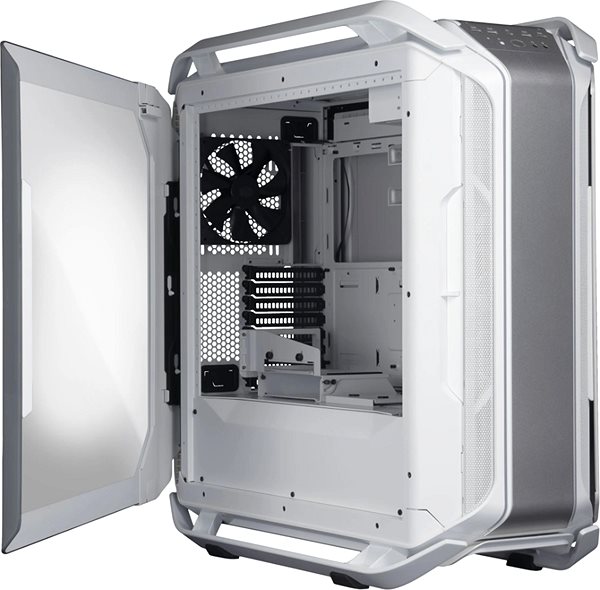
The paint coats a steel construction. The desktop control panel, allowing the connection and control of peripherals, is located on the top of the case. You have the option to put a ATX, mATX (Micro ATX), mITX (Mini ITX) and eATX (Extended ATX) type motherboard into the Cooler Master COSMOS C700M White PC case. It is also equipped with a fan control function, allowing you to adjust its RPM. You can easily change the backlight colour at your convenience.
Cooler Master COSMOS C700M White PC Case Key Features
- White steel well-designed construction complete with a clear side panel
- Cooler Master COSMOS C700M White is equipped with 9 ventilator slots
- Easy fan speed control
- You can freely change all RGB backlight colours
- Location of front panel: top
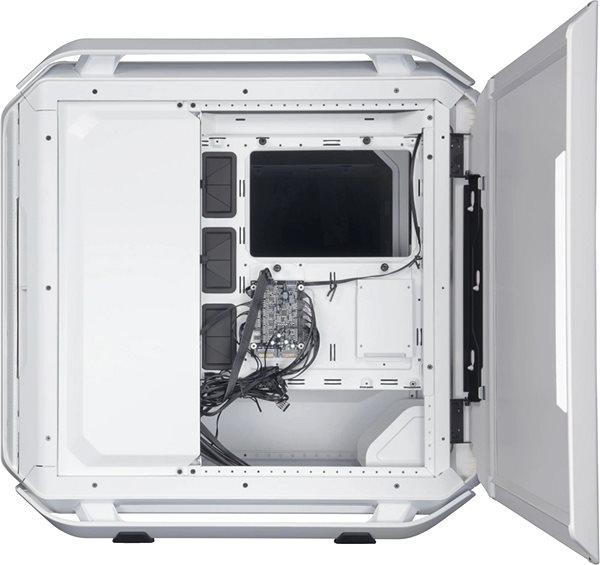
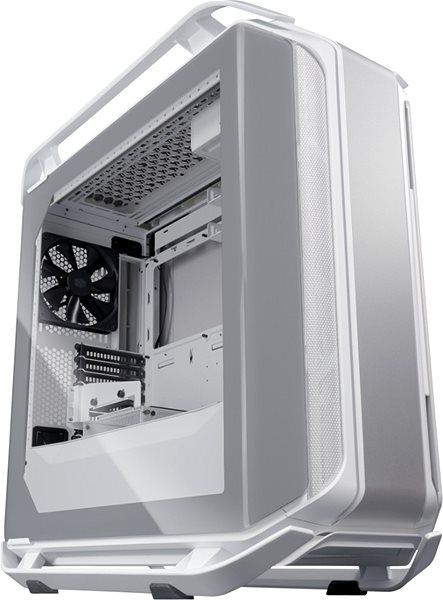
Cooler Master COSMOS C700M White PC Case Hardware
The PC case includes one 3.5" HDD slot and 4 x 2.5" solid state disk slots. All the other essential tech should be installed onto the motherboard. The PC control panel allows you to connect USB 3.2 Gen 1, usb-c, headphones and microphone. The power supply of the Cooler Master PC case is placed at the bottom, which means that it is not affected by higher temperatures, which mainly occur in the upper part of the case.
Specifications
Usage and size
Internal structure
External structure
PSU
Cooling system
Backlight
Material
Dimensions
Specifications can be changed without notice. Images are for illustrative purposes only.
