


Netgear RAX200

Don't like the alternatives? Choose from the full product list

- Reviews 1
- Help and manuals
- Specifications
- Photos & Videos 4
- Alternatives 3
- Accessories and suggested products

Netgear RAX200
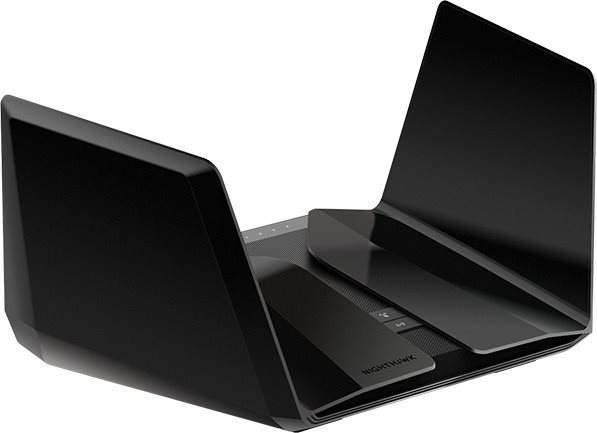
Share your Internet connection with a new WiFi router. The Netgear RAX200 is designed for sharing high-speed Internet connection and large signal coverage. It uses 802,11a (5GHz), 802,11b (2,4GHz), 802,11g (2,4GHz), 802,11n, 802,11ac and 802,11ax standards and Tri-band frequency., which means it uses three bands. The wireless bandwidth speed reaches 10800 Mb/s or 1 Gbit if you connect using LAN.
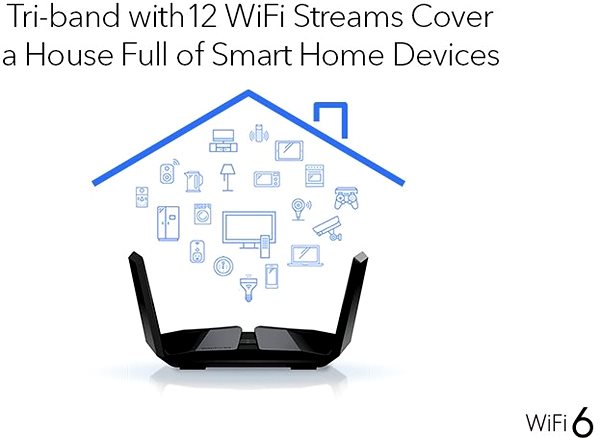
Netgear RAX200 WiFi Router Key Features
- The router's timeless design coupled with a colour scheme makes it a good fit for any household
- Supports the following standards: 802,11a (5GHz), 802,11b (2,4GHz), 802,11g (2,4GHz), 802,11n, 802,11ac and 802,11ax
- WiFi speed up to 10800 Mb/s
- Encrypted transmission for safer web browsing
- Easy router setup
- The device is equipped with 2 USB 3.2 Gen 1 (USB 3.0) connectors
- WiFi Router supports IPv6 protocol
- Number of internal antennas: 8
Secure Connection with the Netgear RAX200 Router
The Netgear RAX200 WiFi router protects your privacy and keeps your data safe and secure. The router's encryption standards include WPA3. Now you can browse the web, watch videos, or play games and know that the security of your connection is guaranteed.
Simple Installation with the Netgear RAX200 Router
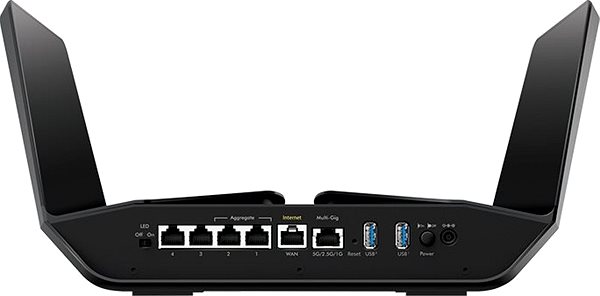
The router is so user-friendly even a beginner can use it. Before you start, please read the included setup guide. After you are done, you only have to connect the cables and perhaps enter the information from your internet provider.
Netgear RAX200: Wireless or Cable Connection
Aside from WiFi, the router enables LAN connection reaching data speeds of up to 1 Gbit. Wired Internet is indispensable for online gamers who need speed and stability, though in exchange for the freedom and user comfort that makes WiFi so popular. You can use USB interface to connect the NETGEAR router to other peripheral devices, for example an external drive or a printer.
Specifications
Number of LAN ports
Package contents
Standards and frequency
Functions
Speed
Security
Antenna features
Advanced parameters
Dimensions and weight
Fiona Spratt, NETGEAR International Limited, Floor Six, Penrose Two, Penrose Dock, Cork City, T23 YY09, [email protected]
Specifications can be changed without notice. Images are for illustrative purposes only.
