


QNAP TBS-453a-4G

Don't like the alternatives? Choose from the full product list
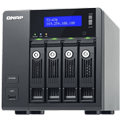


QNAP TBS-453a-4G
Compact, near-silent, and versatile, the 4-bay M.2 SSD NASbook TBS-453A is ideal for office meetings and multimedia applications. Featuring a quad-core Intel® 1.6GHz processor, a built-in 4-port network switch, and using up to 4 M.2 SSDs for storage, the TBS-453A not only provides full-fledged NAS functions with RAID protection, but also can act as a switch and share network access with multiple users regardless of being powered on or off. Coupled with its dual HDMI output and 4K H.264 video display & transcoding abilities, the TBS-453A can easily be carried to meetings to present stored files and quality multimedia content. The TBS-453A also supports the open-source Linux® platform that allows you to directly utilize feature-rich Linux® apps, enjoying a private cloud combining storage and IoT applications.
Key features
- Extremely compact NAS + wide range of inputs (10 to 20 V DC) for industrial use
- Storage, backup and share files using images and version numbering
- 4-port LAN switch with advanced functionality virtual switch (department Network)
- Dual HDMI output for switching between duplicated and extended work (multimedia) flat
- 4K hardware decoding and transcoding videos 4K H.264 for running or offline
- Equipped with hardware accelerated encryption, Intel AES-NI
- Storage for hosting virtual machines and container applications
- Karaoke system with high-quality audio output as a new application OceanKTV
Unique networking
The TBS-453A includes additional hardware-based LAN switch ports with network switch mode and private network mode settings, allowing you to easily build a flexible network environment. In the default switch mode, users can simply use the TBS-453A's network switch functionality to share the Internet and NAS resources at the same time. While in the private network configuration, users can create a closed network, allowing them to create secure environments for activities such as creating a secure surveillance recording with IP cameras. The TBS-453A's network design greatly boosts collaboration and productivity at work as it ensures always-on Internet connectivity. Business meeting attendees, for example, could benefit from the network accessibility to access files stored on the TBS-453A or to search for information online during the meeting.
Guide to the Network
The operating system includes a wide range of useful tools and applications with which your work will always be clear and far more productive. Platform breaks the barriers and geographic distances to have real cloud environments. You can display Office documents online and benefit from access to other linked services cloud. The possibilities are broad and include advanced features such as snapshots of all volumes and LUNs to prevent data loss.
Open environment
The TBS-453A features QTS-Linux dual systems which build on QNAP's advanced virtualization technologies. The revolutionary architecture of the TBS-453A enables users not only to enjoy the various advanced features introduced in QTS 4.2, download rich apps from QTS App Center but also to develop or utilize IoT packages for Linux® and display them using HDMI output. With the TBS-453A, you can develop and install various IoT packages on demand and centrally store the data on the TBS-453A, benefiting from a secure private storage and development solution. Simply plug in a keyboard, mouse and HDMI monitor to the TBS-453A, and use the Linux Station as if you were using a PC. You can also operate the Linux Station as a remote desktop via web browser for instant management.
Resources for virtualization
Virtualization Station allows you to host virtual machines (VM) on the TBS-453A and access them via a web browser or VNC. Virtualization Station supports multiple operating systems, fast VM creation, VM backup & restoration, VM import/export, snapshot, and Device Management for centrally managing VM. Virtualization Station allows the TBS-453A and VMs to share the same LAN port. No longer constrained by physical network performance, high-speed Virtual Switches greatly increases data transfer between VMs as well as between VMs and NAS through the internal interface. You can also download VMs on demand from online VM markets and import them to the TBS-453A without any complex procedures.
The TBS-453A also features the game-changing container technology for server virtualization with QNAP Container Station. It exclusively integrates LXC and Docker® lightweight virtualization technologies, allowing you to operate multiple isolated Linux® systems on the TBS-453A as well as download apps from the built-in Docker Hub Registry®. Container Station also supports the Online Document app, which allows you to directly view, edit and store files of various types anytime on your NAS, including Office documents, images and text files.
Specifications
Type and capacity
Utilisation
Dimensions
Weight
Colour
Use
Storage
Performance
Software and services
Interface
Features and functions
Consumption
Dimensions and weight

QNAP GmbH, Karl-Arnold-Straße 26, 47877 Willich, +492154884280, [email protected]
Specifications can be changed without notice. Images are for illustrative purposes only.
