


TP-LINK Archer AX6000
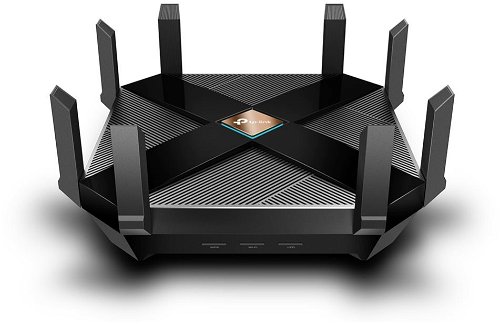
WiFi Router , 802.11with/b/g/n/ac/ax up to 5952 Mb/s, dual-band (2.4 GHz 1148 Mb/s + 5 GHz 4804 Mb/s ), 8× external antenna, WPA, WPA2, WPA-Enterprise, WPA2-Enterprise and WPA3, IPv6 Ready, VPN and parental control
Show full description
Code:
TP647a
Producer's Website:
Don't like the alternatives? Choose from the full product list
- Reviews 7
- Help and manuals
- Specifications
- Photos & Videos 8
- Alternatives 8
- Accessories and suggested products

TP-LINK Archer AX6000
Discontinued
TP-LINK Archer AX6000
Need to connect multiple devices to the Internet? The TP-LINK Archer AX6000 makes no compromises in Internet connection speed or stability. It works with 802,11a, 802,11b, 802,11g, 802,11n, 802,11ac and 802,11ax standards and Dual-band frequency., which means it uses two bands. The device features 8 external antennas. The practical DHCP features of this model include Server, DHCP Client List and Address Reservation. The wireless bandwidth speed reaches 5952 Mb/s.
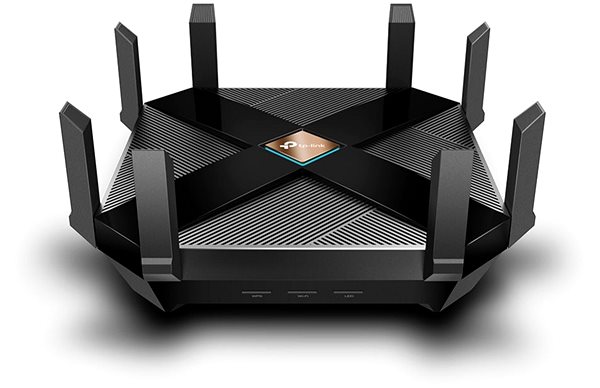

TP-LINK Archer AX6000 WiFi Router Key Features
- The router's stylish design coupled with a colour scheme makes it suitable both for home and for office environments
- Supports 802,11a, 802,11b, 802,11g, 802,11n, 802,11ac and 802,11ax
- Wireless connection speed up to 5952 Mb/s
- Data encryption
- Hassle-free router setup
- Features 2 USB 3.2 Gen 1 (USB 3.0) connectors
- Parental controls for better network activity monitoring
- WiFi Router supports IPv6 protocol
- Number of external antennas: 8
Advanced Encryption with the TP-LINK Archer AX6000 WiFi Router
The TP-LINK Archer AX6000 WiFi router makes your web browsing safer and protects your privacy. The device features several different types of encryption: WPA, WPA2, WPA-Enterprise, WPA2-Enterprise and WPA3. Now you can download files, watch movies, or just browse the web and be completely sure that your data is safe.
Simple Setup and Installation with the TP-LINK Archer AX6000 Router
You don't need a professional to setup your device. First, we recommend that you read the initial setup guide that comes with your router. Then you just need to connect the cables and in some cases enter the information from your service provider.
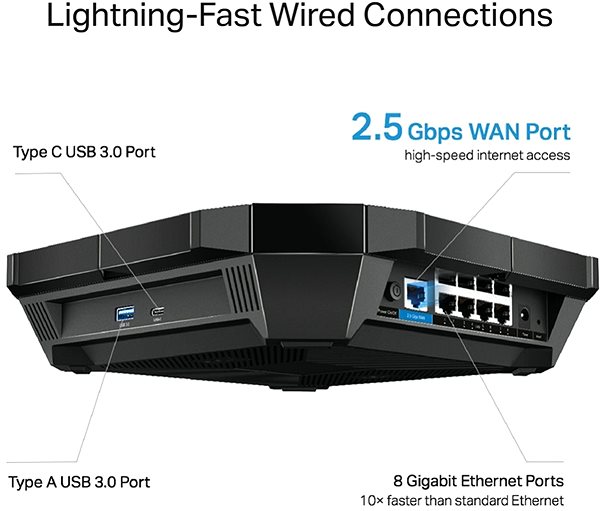
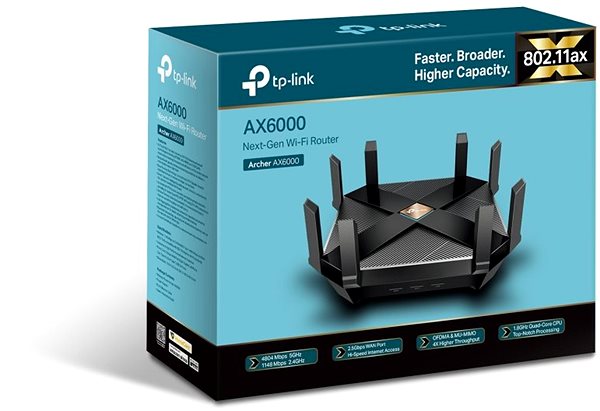
TP-LINK Archer AX6000: Reliable Wired and Wireless Internet
You can use USB interface to link the TP-Link router to a wide range of network devices, such as a hard drive or a printer.
Specifications
Number of LAN ports with 1 Gbit speed
Package contents
2,4 GHz, 5 GHz
Features
Number of LAN ports
Number of LAN ports with 1 Gbit speed
Package contents
Package contents
Standards and frequency
2,4 GHz, 5 GHz
Functions
Features
Speed
WiFi transmission speed
Speed at 2.4GHz
Speed at 5GHz
Security
Antenna features
Advanced parameters
Advanced functions
DHCP functions
Počet WAN portů
Number of WAN ports with 2.5 Gbit speed
Dimensions and weight
Width
Height
Depth
More Specifications

TP-LINK Czech s.r.o., Pekařská 10a, 15500 Praha 5, Česko, [email protected], www.tp-link.com
TP-LINK Czech, s. r. o., Pekařská 695/10, Jinonice, 155 00 Praha 5, CZ +420 212 812 622 / SK +421 233 006 532, [email protected]
Note:
Specifications can be changed without notice. Images are for illustrative purposes only.
