Try our cookies Alza.cz a. s., Company identification number 27082440, use cookies and other data to ensure the proper functioning of the website and, with your consent, also, among other things, to personalize advertising and the content of our websites. By clicking on the “I understand“ button, you agree to the use of cookies and the transfer of data regarding the behavior on the website for displaying targeted advertising on social networks and advertising networks on other websites.
Alzak icon
Catalogue
Price
-
Availability
Order status
Diagonal
34 "
49 "
- 86.36 cm 124.46 cm
Resolution Type
(1)
(128)
(1)
(30)
(5)
(37)
Construction
(28)
(174)
Panel technology
(43)
(158)
Panel type
(36)
(34)
(119)
(3)
(2)
Refresh rate
60 Hz
360 Hz
-
Response time
0.01 ms
8 ms
-
Backlight
(136)
(2)
(5)
Graphical user interface
(202)
(103)
(193)
(2)
(6)
(2)
Features
(165)
(20)
(2)
(3)
(123)
Colour
(24)
(155)
(1)
(1)
(2)

33" to 49" Monitors

33" and larger monitors are ideal for office work, gaming, graphic design programmes, and everyday home use.

 

Continue

When choosing a 33" or larger monitor, first consider what you will use it for

Monitors for office or home use

If you know you will spend a lot of time using the monitor, choose a model with adjustable height and technologies that minimise eye fatigue (Flicker-free, Flicker-safe, etc.). Otherwise, a basic office monitor will be sufficient for your needs.

Gaming monitors

For gaming monitors, response times and refresh rates are critical criteria. Gaming enthusiasts often choose monitors with 4 ms response times and refresh rates of at least 60 Hz, which provide smooth and sharp images even during fast action scenes.

Professional graphics monitors

To work with photos, videos, and CAD software, monitors with at least 10-bit colour depth are recommended. The graphic display should have a wide colour gamut and wide viewing angles.

Commercial monitors

For advertising kiosks, self-service checkouts or monitor systems, touch screen monitors are suitable as they allow the computer to be controlled without the use of a keyboard and mouse.

What else should I look for when choosing a 33" or larger monitor?

Resolution

Screen Size (1" = 2.54 cm)33" and larger (approx. 83 cm or more)
Resolution to ensure adequate image qualityFull HD (1920 × 1080 pixels), but ideally 4K (3840 × 2160 pixels) or higher

Panel type

  • IPS / S-IPS monitors - excel in natural colours, low power consumption and wide viewing angles. The disadvantage is a higher purchase price.
  • TN monitors - often characterised by a low response times. Compared with IPS monitors they are cheaper, offer lower-quality colour reproduction and narrower viewing angles. While cheaper TN monitors are sufficient for less demanding users, models with 4 ms response times are popular with gamers.
  • MVA / PVA monitors - in terms of price and picture quality, these are somewhere between IPS / S-IPS and TN monitors. They provide more realistic colour reproduction and wider viewing angles than TN monitors and are cheaper than IPS monitors.

Screen surface

  • Matte - reflects light from the surroundings; provides less-saturated colour reproduction.
  • Glossy - provides vibrant and realistic colours; conversely, more light is reflected light from the surroundings, so the display can be difficult to view in bright sunlight.
  • Anti-glare (glossy display with antiglare) - a compromise between glossy and matte screens; they are easier to view in direct sunlight than glossy screens but also offer lower quality colour reproduction.

Connectors

Before buying, make sure the monitor has at least one same port as your computer. If not, you will not be able to connect the monitor to it.

basic connectors 23 "or 24" monitor - VGA, DVI, HDMI, DisplayPort

Useful functions and features

  • Technology that minimises eyestrain - Flicker-free, Flicker-safe, etc.
  • Adjustable height - allows you to adjust the monitor to a comfortable position.
  • TV tuner - to watch television broadcasts.
  • VESA mount - allows your to mount the monitor on a bracket.
  • USB Hub - play data from portable drives; connect a keyboard or mouse.
  • Pivot - allows the screen to rotate horizantally; suitable for office work and reading texts from your computer.
Hide description
Was this information useful?
This form is used only for evaluating the information in the description above.
If you have any question about our products, services, transport or any other request, please contact our customer support.

What should be improved? Is anything missing here? Is anything wrong? Share it with us.
202 Results
49" AROZZI Nova 49TUW165 Black - Monitor
Free delivery
to Alza branch
Add to PC configurator
49" AROZZI Nova 49TUW165 Black
Monitor - VA, curved, Dual QHD 5120 × 1440 (32:9), 165 Hz, matte display, 8 bit, 1 ms, FreeSync, adjustable height, HDR, speakers, HDMI, USB-C and DisplayPort, USB and USB-C data interface, VESA
344,490 Ft
Buy
Ordered on request
Order Code: ARaz1N0va21
49" AROZZI Nova 49TUW165 Forest Green - Monitor
Free delivery
to Alza branch
Add to PC configurator
49" AROZZI Nova 49TUW165 Forest Green
Monitor - VA, curved, Dual QHD 5120 × 1440 (32:9), 165 Hz, matte display, 8 bit, 1 ms, FreeSync, adjustable height, HDR, speakers, HDMI, USB-C and DisplayPort, USB and USB-C data interface, VESA
362,590 Ft
Buy
Ordered on request
Order Code: ARaz1N0va22
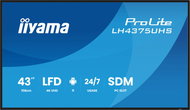
43" iiyama ProLite LH4364UHS-B1AG
Large-Format Display 4K Ultra HD 3840 × 2160, VA, 16:9, 6.5 ms, 60Hz, 8bit, 500 cd/m2, 4000:1 contrast, HDMI and USB-C, USB, LAN, speakers, VESA
260,790 Ft
Buy
Ordered on request
Order Code: WA982a53
43" Hisense 43DM66D
Large-Format Display 4K Ultra HD 3840 × 2160, ADS, 16:9, 8 ms, 60Hz, 8bit, 500 cd/m2, 1200:1 contrast, HDMI and DisplayPort, WiFi, headphone output, speakers, VESA, Power Delivery up to 120 W
242,090 Ft
Buy
Ordered on request
Order Code: WA840t29a5
43" Hisense 43GM50D
Large-Format Display 4K Ultra HD 3840 × 2160, ADS, 16:9, 8 ms, 60Hz, 8bit, 500 cd/m2, 1200:1 contrast, HDMI and DisplayPort, WiFi, headphone output, speakers, VESA, Power Delivery up to 120 W
215,890 Ft
Buy
Ordered on request
Order Code: WA840t29a12
4.2
34" Lenovo Legion R34w-30
Monitor - VA, curved, Ultra Wide QHD 3440 × 1440 (21:9), 180 Hz, Anti-Glare display, 8 bit, 0,5 ms, FreeSync Premium and Adaptive-Sync, adjustable height, HDR, HDMI and DisplayPort, VESA
Discounted -12 % 114,590 Ft 131,490 Ft
Currently Unavailable
Order Code: WM232l56f5
34" Lenovo ThinkVision T34WD-40
Monitor - VA, curved, Ultra Wide QHD 3440 × 1440 (21:9), 120 Hz, matte display, 8 bit, 4 ms Without image synchronisation, adjustable height, HDMI, USB-C and DisplayPort, RJ-45 (LAN) data interface, VESA
203,190 Ft
Currently Unavailable
Order Code: WM232e7v5
34" ASUS ROG Strix OLED XG34WCDMTG - Monitor
Free delivery
Alzaboxes and stores
1.0
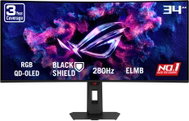
34" ASUS ROG Strix OLED XG34WCDMTG
Monitor - QD-OLED, curved, Ultra Wide QHD 3440 × 1440 (21:9), 240 Hz, matte display, 10 bit, 0,03 ms, G-Sync Compatible, FreeSync Premium and Adaptive-Sync, adjustable height, Power Delivery max. 90 W, HDR, speakers, HDMI and DisplayPort, USB and USB-C data interface, VESA
472,690 Ft
Currently Unavailable
Order Code: WA044v220
34" iiyama ProLite XCB3494WQSU-B1
Monitor - VA, curved, Ultra Wide QHD 3440 × 1440 (21:9), 120 Hz, matte display, 0,4 ms, adjustable height, speakers, HDMI and DisplayPort, VESA
121,290 Ft
Currently Unavailable
Order Code: WA840w3g
34" ASRock PG34QRT3A Phantom Gaming
Monitor - VA, Ultra Wide QHD 3440 × 1400 (21:9), 180 Hz, matte display, 8 bit, 1 ms, FreeSync, adjustable height, HDR, speakers, rear lighting, HDMI and DisplayPort, USB data interface, VESA
199,990 Ft
Currently Unavailable
Order Code: WAS004c

33" to 49" Monitors - additional info

How to choose the right LCD Monitor

Do you need a widescreen monitor or one with a classic 4:3 aspect ratio? Widescreen monitors are ideal for watching movies, playing games, and browsing the internet, while classic 4:3 monitors with diagonals of 17"-19" are ideal for office work. As for the display surface, you can choose from matte or glossy. Glossy displays deliver enhanced colour contrasts and better readability while matte displays reduce screen reflection.

It's not only the number of pixels on the screen (display resolution) that determines the quality of a monitor, the size of a monitor's dot pitch is also important. Comparing monitors of two different sizes but of the same resolution, you'll find that the larger one produces a coarser image. This can be slightly reduced by font-smoothing functions, which are integrated in most operating systems. To get the most out of your monitor, you'll need to adjust the screen resolution, as the native resolution might differ from model to model.

Response time indicates how many milliseconds it takes for a pixel to change - the lower the response time, the smoother the change. Brightness determines the luminous intensity of an image and higher contrast ensures blacker blacks and whiter whites.
 

In addition to basic D-Sub analog inputs, modern monitors also feature digital DVI inputs. Some monitors offer multiple options together with HDMI inputs. Before you select a particular model, be sure to check whether it is compatible with your graphics card.

We recommend choosing a monitor with a larger diagonal size and higher resolution. Opt for a model with a lower response time, higher brightness and contrast, and check that the monitor features DVI/HDMI inputs.

Was this information useful?
This form is used only for evaluating the information in the description above.
If you have any question about our products, services, transport or any other request, please contact our customer support.
What should be improved? Is anything missing here? Is anything wrong? Share it with us.
Check out products sorted by price starting with the lowest price in the category cheap 33" to 49" Monitors
P-DC1-WEB15