


Articles in the category 8K Monitors
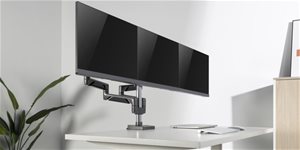
AlzaErgo Arm Premium monitortartók: tökéletes ergonómia elegáns dizájnban
Elegáns és praktikus kiegészítő minden íróasztalra – ilyenek az AlzaErgo Arm Premium monitorkarok. A monitor pozícióját egyszerűen beállíthatod úgy, hogy tökéletesen megfeleljen számodra, és lehetővé tegye a kényelmes, fájdalommentes munkát. Ráadásul jól is néznek ki, és számos praktikus megoldást rejtenek. Read more
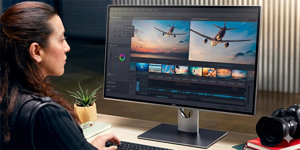
Mitől lett a Dell globális piacvezető a monitorok között?
A Dell professzionális, irodai, otthoni és gamer monitorokat is kínál. Lehet, hogy éppen a széles választék az egyik oka annak, hogy az eladások terén piacvezető. Ebben a cikkben áttekintést találsz arról, mit nyújt a vásárlóinak. Read more
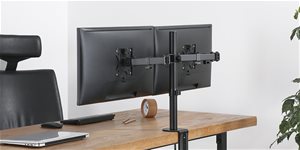
Milyen monitorállványt vegyek?
Szeretnéd berendezni a tanulószobádat vagy a játékbarlangodat? A monitortartó semmiképpen sem hiányozhat egy kényelmes számítógépes térből. Ha eltévedtél a számtalan kategória, kialakítási típus és egyéb paraméter között, olvasd el választási útmutatónkat. Mindent részletesen elmagyarázunk, és segítünk a döntésben. Read more

Hordozható számítógépek: Hol tartunk ma? | Mobil forradalom
Minden notebooknak tartalmaznia kell alaplapot, processzort, grafikus kártyát, RAM memóriát és meghajtót, akárcsak az asztali számítógépeknek, mégis olyan alacsony a fogyasztásuk, hogy akkumulátorról órákon át képesek működni. Milyen trükkök segítik a gyártókat a teljesítmény optimalizálásában, és hogyan lehetséges, hogy a notebookok már nem kerülnek vagyonokba, mint régen, és nem kell több havi fizetést félretennünk, hogy megengedhessük magunknak? Minderre Michal Rybka cikke ad választ. Read more

Flicker-free és kékfény szűrő: egészségmegóvás a számítógépen végzett munka során
A Flicker-free monitorok és a kékfény szűrők sokkal élvezetesebbé tehetik a számítógépen végzett munkát. Megelőzik a fejfájást, csökkentik a szem fáradtságát és segíthetnek az álmatlanság megelőzésében. Cikkünkben eláruljuk, hogy a monitor fénye konkrétan hogyan hat ránk, és hogyan előzheted meg a negatív hatásokat a modern monitorok segítségvel. Read more
Hogyan csatlakoztassunk laptophoz TV-t vagy monitort? (ÚTMUTATÓ)
Kíváncsi vagy, hogyan működik a laptop vagy asztali számítógép összekötése TV-vel vagy monitorral? Összeállítottunk egy részletes útmutatót, amely érthető formában foglalja össze számodra a teljes folyamatot, valamint tájékoztatást nyújt a vezetékes és vezeték nélküli képátvitelről is. Hogyan állíthatsz be a Windows-ban másodlagos képernyőt, melyik csatlakozókábelt válaszd, vagy mik azok az átalakítók? Cikkünkben választ adunk mindezekre a kérdésekre és még sok másra is.
Read more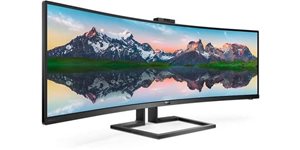
Philips Monitors Offer New Possibilities for Work and Play
The often complicated connection of a laptop to a monitor is over with the new monitors from Philips. From now on, everything - including power and sound - can be handled by a single cable connected via a universal USB-C connector.
Read more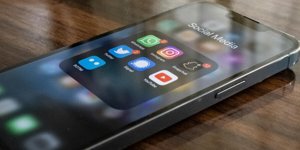
Display refresh rate
The display refresh rate indicates how many times per second the screen image is redrawn. A higher number means a smoother turnaround. The normal frequency is 60 Hz and you may notice a slight tearing on it when scrolling quickly. It does not occur at refresh rates of 90, 120 or more Hertz.
Read more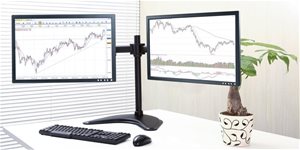
Be More Productive with Two Monitors. How? (TIPS)
If you've never considered using two monitors, you should know that it can revolutionize the way you work on your computer. Using two monitors can have a positive effect on your comfort and productivity. In this article, we'll share everything you need to know about using this configuration - from listing new options to selecting monitors to installing them.
Read more
LG UltraGear (4K, IPS, 144 Hz, 1 ms) – Nehéz ennél jobb monitort találni
Az LG UltraGear sorozat új monitorjai bizonyítják, hogy az IPS technológia ma már ugyanolyan sebességre képes, mint a TN.Ezért a széles betekintési szög, a pontos színvisszaadás és a 4K felbontás sem kizárt 144 Hz-es frissítési frekvencia vagy alacsony, 1 ms-os válaszidő esetén sem. Read more
8K Resolution: What Does This Bring TV Users and PC Players?
The first 8K television is available. For this occasion, we discuss what 8K resolution is, how it looks and how it will be with content for both 8K televisions and 8K PC monitors.
Read more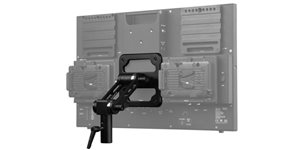
VESA Mounting
A VESA felfüggesztés egy olyan szabvány, amely megkönnyíti a vásárlók számára a tájékozódást, amikor a tévéjükhöz vagy monitorukhoz állványt vásárolnak. Egységesíti a rögzítőelemeket, azaz a tévé hátoldalán lévő rögzítő nyílások elhelyezkedését, illetve a tartóelemeket. Cikkünkből megtudhatod, hogy hogyan működik, illetve hogyan igazodhatsz el a számok között. Read more

Frequency of Image Processing
Expressed in hertz (Hz). Represents the number of frames per second that the screen can show. A larger value provides a smoother picture, which is especially important for sports, action movies and games. We recommend a refresh frequency of at least 100 Hz.
Read more