


CorelCAD 2021, EDU (Electronic Licence)

Don't like the alternatives? Choose from the full product list



CorelCAD 2021, EDU (Electronic Licence)
The license is intended for students, schools (school employees), non-profit organizations and training centers.
Be more productive than ever
Need software that makes drawing and modelling a breeze? Graphic software CorelCAD 2021 EDU can be used with both Windows and macOS operating systems. The system requirements are set up so that everyone can use this tool. Suitable for 2D drawing and 3D modelling. Lifelong EDU The license is intended for educational institutions and students. Allows 2 installations per user provided they do not run concurrently. Installing CorelCAD 2021 graphics software EDU is done electronically. This is an electronic version of the graphics software. The tool is suitable for beginners and professionals. Czech language is also supported.
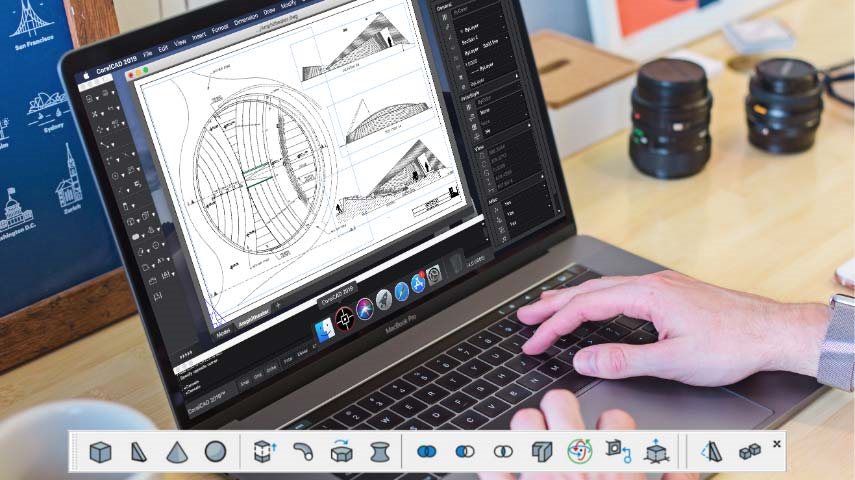
CorelCAD 2021 EDU is a reliable and professional tool
The program offers many features and promises file compatibility. DWG,. STL,. PDF a. CDR. By sharing projects and collaborating with other users, you will save a lot of time. CorelCAD 2021 EDU software is designed for professionals who demand absolute precision in their work. It can easily handle almost any technical design task.
Fast work with CorelCAD 2021 EDU
This software will help you with creating concepts, plans, designs, page layouts and also with implementing customizations. Controls are available without leaving the drawing interface. Converting 2D drawings to 3D models is easy with just a few clicks. With format support. STL makes connecting to a 3D printer really easy.

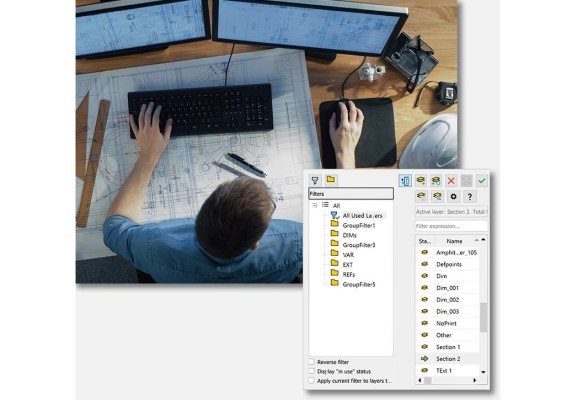
Wide application
CorelCAD 2021 EDU not only adapts to any work environment, but also offers automation support. Using CorelCAD Mobile, you have constant access to your notes and designs. The app is available for both Android and iOS devices. With CorelCAD2021 EDU software, you can navigate in 3D space with a 3D mouse. Simply select your preferred functions and commands and rotate through the drawing with ease.
CorelCAD 2021 EDU software comes with many new features
You'll appreciate the ability to compare two files and highlight tracked changes using colour. You will have a perfect overview of the changes and differences of your colleagues. You can also make changes to format files. DWG including editing dynamic blocks and saving them. You can also easily duplicate related objects and fields.
Key features of CorelCAD 2021 EDU graphics software
- Fast concept creation, 2D drawing and 3D modelling
- The program is suitable for beginners and advanced
- CorelCAD 2021 EDU graphics software is absolutely accurate
- Easy conversion of 2D drawings to 3D models including 3D printing
- Compatible for Windows and macOS
- With CorelCAD Mobile, your projects are always at your fingertips
- The app is available for both iOS and Android
- The perpetual license is for two devices per user
- Electronic version
- Graphic software CorelCAD 2021 EDU offers file support. DWG,. STL,. PDF,. CDR
- Ability to share projects and collaborate with other users
- The program adapts to the working environment
- You will find support for automation
- CorelCAD 2021 software EDU supports the use of a 3D mouse
- Changes made can be colour coded for clarity
- Easy duplication of related objects and fields
- CorelCAD 2021 EDU is in Czech language
System requirements
Windows versions:
Microsoft Windows 10* or 8.1 (32-bit or 64-bit) with the latest updates
Dual-core Intel Core 2 Duo or AMD Athlon x2 processor
4 GB RAM (8 GB or more recommended)
1.5 GB of free hard disk space
3D graphics card with OpenGL version 1.4 (OpenGL version 3.2 or higher is recommended)
Screen resolution 1280 × 768 (1920 × 1080 (Full HD) recommended)
Mouse or tablet
Optional DVD drive (when installing the boxed version)
Connecting to the Internet to activate the product and access the plug-in store
Mac version:
macOS Big Sur 11.0, macOS Catalina 10.15 or macOS Mojave 10.14
Intel or Apple M1 multi-core processor
4 GB RAM (8 GB or more recommended)
1.5 GB of free hard disk space
3D graphics card with OpenGL version 1.4 (OpenGL version 3.2 or higher is recommended)
Screen resolution 1280 × 768 (1920 × 1080 (Full HD) recommended)
Mouse or tablet
Optional DVD drive (when installing the boxed version)
Connecting to the Internet to activate the product and access the plug-in store
Specifications
Basic parameters
License type
License
Compatibility
Language version
Software type
Specifications can be changed without notice. Images are for illustrative purposes only.
