


Transcend JetDrive Go 300

Don't like the alternatives? Choose from the full product list
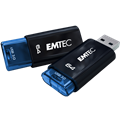

Transcend JetDrive Go 300
Data, dates, everywhere. Where is it still stored? How best to take care of their safety and mobility? What storage to choose to be compatible with a wide range of devices? These are issues that burden the mind of the contemporary person. Transcend, however, offers a simple answer, and it is the JetDrive Go 300. A state-of-the-art flash that is packed with modern technology to rid you of sleepless questions.
Key features
- Top-class flashdisk in elegant design
- USB 3.1 with data transfer rate up to 130 MB / s
- Lightning connector to connect to Apple devices
- Snapshot to upload videos and photos directly to the disc
- Password protection or touch ID touch sensor
- MFi Certification - compatibility with iPod, iPad, iPhone
Severely fast data transfer
Carrying a flash that is equipped with a USB interface is not a kumst, we are all used to it. Nor would this device be an exception in this regard. But it is equipped with a USB 3.1 interface. And why is this important? Because it, unlike its predecessors, offers a transfer rate of up to 130 MB / s, which makes the flash disk to copy 4GB HD movie in less than half a minute . It is clear, therefore, that users who enjoy procrastination and endless seconds or minutes of staring at the monitor while waiting for copying a large amount of data will be very disappointed.
Lightning interface for Apple devices
However, the high speed USB interface is not what makes this flash exceptional. This is especially the reverse side of this repository where you will find the Lightning port. The Heart of Experts is sure to jump in joy, and those who do not know will be happy to know that it is a compatible Apple compatible mobile device . That's how you can solve all the difficulties associated with lack of capacity in your smart device. In addition, Snapshot provides you with the ability to upload photos and videos directly to a connected JetDrive Go 300. Not only can you save the media on the flash, but you can also play back data on Apple devices using JetDrive Go.
Security question
It can happen at any time. Forget the flash on your computer, leave it unattended on the table, and your data is suddenly exposed to the risk of unauthorized users accessing it. However, the question of the safety of your data was remembered by the manufacturer. Simply protect your data with a password. You can use a combination of 4 numbers to do thisTouch Touch Touch Sensor.
Specifications can be changed without notice. Images are for illustrative purposes only.
