



Alza Days - WiFi Routers & Access Points

- The campaign runs from April 7, 2026, to April 27, 2026 (“Campaign”).
- The list of products currently available in the Campaign (“Products”) can be found on this website below.
- A Product is considered purchased at a discounted price as part of the Campaign only once the order has been confirmed by Alza and the payment has been completed by the customer. Simply placing the Product in the cart does not constitute a purchase. If the Buyer selects cash-on-delivery payment, submitting the order to Alza within the Campaign period is sufficient, but the discount will only be valid upon successful payment upon delivery.
- Alza reserves the right to limit the number of Products a single buyer may purchase during the Campaign for certain items. Should such purchase limits apply, Alza's system will automatically prevent buyers from adding more Products to their cart than the permitted purchase quantity for the duration of the Campaign.
- Available stock of select Products will be allocated among consumers in the Czech Republic, Slovakia, Austria, Hungary, and other countries served by Alza.
- Discounts on Products are valid only during the Campaign period or while supplies last. Alza reserves the right to change the selection of discounted Products at any time during the Campaign.
- The general terms and conditions of the Campaign can be found here.
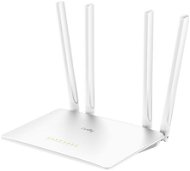


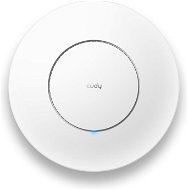


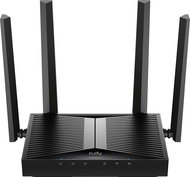
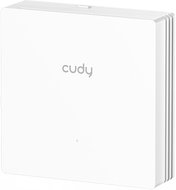

Alza Days - WiFi Routers & Access Points
 Routers
 Access Points
 With Client Function
 How to choose a WiFi router
Alza for Business
All wiFi Routers & Access Points
How to choose a WiFi router
Alza for Business
All wiFi Routers & Access Points
Alza Days - WiFi Routers & Access Points
Active element in a wireless WiFi network represents a device that acts as an access point (AP) or router. These devices offer facilities that connect a computer, multiple computers or other network devices (clients), and are responsible for subsequent communication and connection to wireless networks. They can also be used to create a wireless network. Active devices are most commonly used to create wireless home or office networks, where the computer (client) connects wirelessly, while the active element is connected to a cable Internet connection (eg. ADSL, cable internet) for sharing Internet access. Active elements can simply be used to wirelessly connect two computers without a line of sight. Line of sight is in fact ideal for establishing a wireless connection between two points.
Routers and access points were originally two different kinds of devices, however, today's AP function handles both. Although routing technically runs on a different principle in the majority of the AP devices (the NAT table is used for connecting clients and then the external network appears as one IP address of the access point), but it has no effect on the fact that it practically functiona as a router. For more demanding applications where it is necessary to connect two computer networks (eg distribution of wireless Internet access in the context of a large WiFi network or internet) it is appropriate to use a classical router (routerboard or MikroTik are ideal for this application - or a separate computer equipped with the necessary components and software).
When selecting a new AP, focus mainly on the key parameters, which include support for newer versions of standard 802.11 wireless communications and the related frequency at which WiFi access point works (2.4GHz or 5GHz), its function (AP or client - access point in AP mode only transmits, while to connect your PC or notebook to a wireless network, you need a client function) and sufficient security. The standard WPA (WiFi Protected Access) and WPA2 will take care of it (older WEP encryption is easily cracked). This standard is also in AP with built-in DHCP server functionality.
If you have any question about our products, services, transport or any other request, please contact our customer support.