


Dell Multi-Device Wireless Mouse MS5320W
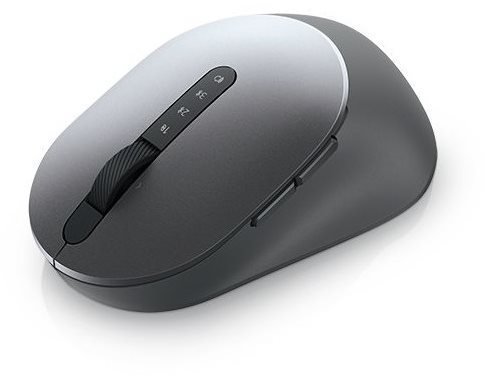


Dell Multi-Device Wireless Mouse MS5320W
The high-quality Dell Multi-Device Wireless Mouse MS5320W lets you work on up to three different devices without the need for complex re-pairing. It features a high-quality optical sensor and long battery life. The mouse is compatible with a wide range of operating systems—Linux, Android, Google Chrome OS, and Microsoft Windows 7/8/8.1/10. You can pair the mouse with each device once, and for subsequent use, you just switch a button and you're ready to go. The mouse has 7 buttons to streamline your workflow, for example, when copying text or browsing websites. The ideal way to connect the mouse wirelessly is via the Bluetooth interface found on every laptop. Alternatively, you can use the 2.4 GHz interface. A great advantage is the excellent power management, which allows the Dell Multi-Device Wireless Mouse MS5320W to run on a single battery for up to 36 months. To boost your productivity, you can adjust the DPI and configure the programmable buttons for frequently used commands.

Key Features of the Dell Multi-Device Wireless Mouse MS5320W
- Sculpted wireless mouse
- Supports up to 3 devices simultaneously
- Mouse with an optical sensor and 7 buttons
- Ideal for use on most desktop surfaces
- Allows you to adjust DPI and configure programmable buttons
- Compatible with various operating systems
- AA battery life of up to 36 months
Convenient Switching and Easy Pairing
Work seamlessly across your desktop, laptop, and 2-in-1 with the sculpted Dell Multi-Device Wireless Mouse MS5320W. The two wireless connection methods, Bluetooth 5.0 and 2.4 GHz, allow you to easily switch between your laptop, desktop, or 2-in-1 with a single click. With Microsoft Swift Pair technology, you can instantly pair each device with a compatible Windows 10 system via Bluetooth without having to configure the device in Settings every time. The mouse is compatible with a variety of Windows, Mac, Chrome, Linux, and Android operating systems, offering maximum flexibility.

Precise Tracking
The fast response of the Dell Multi-Device Wireless Mouse MS5320W, thanks to its 1600 DPI sensor, makes navigation easy, especially on a high-resolution 4K screen. The optical sensor offers precise tracking and is ideal for use on most desktop surfaces. The Dell Peripheral Manager (DPM) software allows you to manage your input devices and adjust your preferred preset DPI values of 1,000, 1,600, 2,400, or 4,000. Try Dell's unique and innovative application to optimise the performance of your entire Dell computer workspace.


Easier Control
Save time and increase IT efficiency with the Dell Device Management console, which allows you to manage your Dell peripherals at scale from a single cloud console. Discover the advanced command-line interface features of the Dell Display and Peripheral Manager.
Package Contents:
Mouse, 1× AA battery, documentation, USB receiver
Movement Resolution Settings:
1,000/1,600 (default)/2,400 and 4,000
Features:
Vertical and horizontal scrolling, hyper-fast scrolling, sculpted design
Required Operating System:
Linux, Android, Google Chrome OS, Microsoft Windows 7, Windows 8, Windows 8.1, Windows 10, Windows 11
Compatibility:
2.4 GHz (Windows 7, 8.1, 10, and 11; Mac; Linux (Red Hat Enterprise 8.0/Ubuntu 18.4); Chrome and Android OS), Bluetooth (Windows 8.1, 10, and 11; Mac; Linux (Red Hat Enterprise 8.0/Ubuntu 18.4); Chrome and Android OS), Dell Peripheral Manager (Windows 10 or later)
Specifications
Connection
Mouse interface
Mouse use
Compatibility
Sensor
Mouse buttons
Other mouse features
Dimensions and weight
Colour
In the package
Charging // EU Directive

Dell Products, Raheen Business Park, Limerick, Ireland, [email protected], www.dell.com
This American multinational corporation based in Round Rock (Texas, USA) is a leading player in the field of information technology. The Dell brand carries the hallmark of quality and is known throughout the world. In 2010, it ranked fifth in the poll of most admired computer companies.
Dell's operations are incredibly broad - the company can be found not only in personal computers, servers, storage devices, switches, software and peripherals, but also HDTV, cameras, printers and MP3 players. The company, whose history began in 1984, now ranks among the giants in the field.
Specifications can be changed without notice. Images are for illustrative purposes only.
