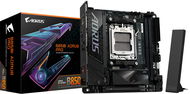
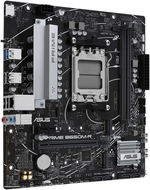
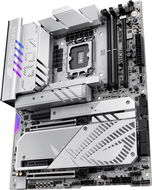
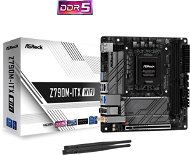
Try our cookies Alza.cz a. s., Company identification number 27082440, uses cookies to ensure the functionality of the website and with your consent also to personalisage the content of our website. By clicking on the “I understand“ button, you agree to the use of cookies and the transfer of data regarding the behavior on the website for displaying targeted advertising on social networks and advertising networks on other websites.
Alzak icon
Catalogue
Price
-
Availability
Order status
Brands
(59)
(42)
(94)
(119)
(14)
Socket
(50)
(42)
(149)
(78)
(8)
(1)
Chipset
(10)
(1)
(31)
(1)
(2)
Motherboard form factor
(159)
(141)
(15)
(9)
(2)
(1)
(1)
Memory type
(52)
(276)
Number of RAM slots
2 ×
8 ×
-
Compatible processor generation
(149)
(149)
(149)
(69)
(55)

PC configurator - Motherboards

The motherboard (also commonly referred to as the mainboard) is an indispensable element of every computer. It plays a vital role in the interconnection of the individual components and has a number of parameters that are critical to the proper operation of the entire system. Which motherboard is right for you is what we will tell you in this article.

Continue
Motherboard – Choosing Socket and Format

When selecting a motherboard, it is important to pay attention to the motherboard socket type, format, and chipset. These parameters are among the most important and ensure the compatibility of the board with the processor, expansion cards and other components.

Motherboard – Socket or Processor Connector

The socket is the connector that connects the motherboard to the processor. In order for a PC motherboard to work with a processor, it must share the same socket type - different ones are not compatible with each other.

Select the processor first, and then the motherboard with the corresponding socket.

Which Motherboard Format to Choose?

Motherboards are available in several formats, which determine the size and equipment of the board. Are you looking for a compact mITX board for an office computer, an ATX board for a gaming machine or a rare eATX board? Look at the differences.

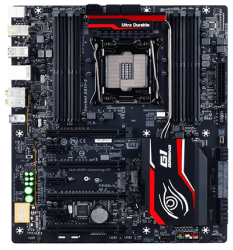
eATX Motherboard – Up to Four Graphics Cards

eATX (Extended ATX) format stands out in particular for its ability to install three or four graphics cards using CrossFireX or SLI technology. You'll need a really big case to accommodate eATX boards. The eATX format will often be a gaming motherboard or designed for the most powerful builds.

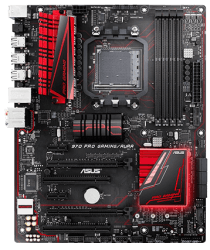
Standard ATX Motherboard

ATX motherboard is suitable for very well equipped computers, gaming stations or work machines. It offers a wide range of connectors and the possibility of connecting several graphics cards. The advantage of ATX motherboards is also enough space for individual components and a cooling system.

mATX Motherboard Is Suitable for Less Demanding Users

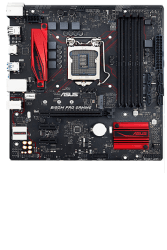
mATX (Micro ATX) usually allows the connection of one graphics card and only a few expansion cards. The mATX motherboards are compact, affordable and perfectly suited for office or multimedia computers.

mITX Motherboard - Compact in Every Way

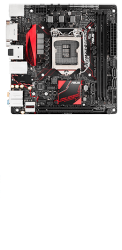
mITX (Mini ITX) motherboard doesn't offer much space for expansion cards or cooling, you'll have to make do with one graphics card. This makes it suitable for casual users, office desktops or computers designed for surfing the Internet.

i

Consider the motherboard format and size when choosing a PC case.

Chipset – How to Connect the Motherboard

The chipset of the motherboard affects the number of connectors for expansion cards and other peripherals, but also the performance of the board itself and the clocking options. Chipsets (chipsets) vary by manufacturer, with Intel and AMD being the most prominent.

  1. Intel chipsets with H and B will satisfy less demanding users, while the powerful Z or the most powerful X299 chipset will satisfy even the most demanding ones. This motherboard supports Intel processors with the aforementioned chipsets.
  2. AMD chipsets A are for the more basic sets, B are among the powerful ones. Socket X399 is found in the most powerful boards. With these chipsets, the motherboard supports AMD processors.

For example, if your PC motherboard has an AM4 socket, an AMD Ryzen processor is a good choice.

Motherboard and Connectivity – Important Ports, Slots and Connectors

Now that we know which socket, format and chipset of your future motherboard, it's time for connectivity. When choosing a motherboard, it is good to think about possible future component replacement and choose a PC motherboard with a sufficient number of ports and connectors for graphics cards, hard or SSD drives and other peripherals. Below are the most important ports and connectors on the motherboard for PC.

Computer Motherboard – Internal Slots

  • PCI and PCI-Express are used for mounting graphics, Audio and other cards. They differ in data transfer speed.
  • Serial ATA (SATA), M.2 and U.2 are slots for connecting hard drives and high-speed SSD drives.
  • DIMM slots are used to connect RAM modules. A modern computer motherboard usually has at least four slots.

i

The PCI-E ×16 slot with the highest throughput (data transfer rate) is most commonly used to accommodate graphics cards. PCI-E ×8/×4 slots are suitable for network cards or disk controllers.

External Motherboard Connectors

The external I/O connectors of the motherboard are usually located on the back panel of the case and are used for bidirectional communication of peripherals with the computer motherboard. The number and type of connectors are dependent on the motherboard options.

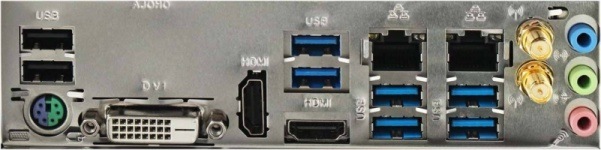
Motherboard PC – rear panel

The rear panel usually shows video connectors (DVI, HDMI, DisplayPort), audio connectors and data connectors (USB, RJ-45, eSATA).

How to Choose the Right RAM for Your Motherboard?

When selecting RAM for your motherboard, pay close attention to the memory specifications and compatibility with the computer motherboard. Important parameters are especially the memory type, voltage, and module capacity.

  • Memory type (DDR3, DDR4) refers to the maximum transfer rate and power consumption of RAM. Memory and motherboard specifications must match.
  • Memory capacity is selected according to the maximum supported size of the motherboard.

Motherboard – How to Cool Your Computer?

A motherboard with more fan connectors allows you to cool even powerful computers efficiently. A high-performance or gaming motherboard often offers several connectors for CPU fans, a number of additional fans for the case, plus software for speed control and other settings.

Some boards also support water cooling or high-speed fans. Sensors and multi-pin connectors also enable automatic management of the cooling system performance.

What Else Does the Motherboard Offer?

In addition to a number of crucial parameters, the motherboard also has many optional equipment options. Take a look at the most important and interesting ones.

  • Bluetooth provides wireless connectivity for keyboards, mice, phones and other Bluetooth-enabled devices.
  • The WiFi baseboard allows wireless connectivity to your home or business network.
  • HW buttons are usually used to reset or load the last functional BIOS settings.
  • The motherboard for PC with clocking software enables safe automatic overclocking.
  • NVIDIA SLi and AMD CrossFire are technologies that allow multiple graphics cards to be connected.
  • The computer's Basic Board with Status Display displays errors and corresponding error codes.
  • The RAID controller offers the ability to connect multiple disks to a disk array for increased speed or reliability.

i

Wireless connectivity can also be used for Bluetooth or WiFi USB adapters.

Hide description
Was this information useful?
This form is used only for evaluating the information in the description above.
If you have any question about our products, services, transport or any other request, please contact our customer support.

What should be improved? Is anything missing here? Is anything wrong? Share it with us.
330 Results
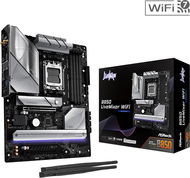
ASROCK B860M Rock WiFi
Motherboard - Intel B860, Intel 1851 socket, 1× PCIe x16, 1× PCIe x1, 2× DDR5 8333MHz (OC), 4× SATA III, 2× M.2, RJ-45 (LAN) 2,5Gbps, WiFi, Bluetooth, 7.1 sound card channel(s), form factor: mATX (Micro ATX)
New arrival 49,890 Ft
In stock > 5 pcs
Order by midnight, get it at the AlzaBox in the morning.
Info
Order Code: ASb860r2
ASROCK B860 Rock WiFi 7
Motherboard - Intel B860, Intel 1851 socket, 2× PCIe x16, 4× DDR5 8666MHz (OC), 4× SATA III, 3× M.2, RJ-45 (LAN) 2,5Gbps, WiFi, Bluetooth, 7.1 sound card channel(s), form factor: ATX
New arrival 52,990 Ft
In stock > 5 pcs
Order by midnight, get it at the AlzaBox in the morning.
Info
Order Code: ASb860r1
ASROCK B860 Challenger WiFi White
Motherboard - Intel B860, Intel 1851 socket, 2× PCIe x16, 4× DDR5 8666MHz (OC), 4× SATA III, 3× M.2, RJ-45 (LAN) 2,5Gbps, WiFi, Bluetooth, 7.1 sound card channel(s), form factor: ATX
New arrival 62,390 Ft
In stock > 5 pcs
Order by midnight, get it at the AlzaBox in the morning.
Info
Order Code: ASb860c2
ASROCK B860 Challenger WiFi
Motherboard - Intel B860, Intel 1851 socket, 2× PCIe x16, 4× DDR5 8666MHz (OC), 4× SATA III, 3× M.2, RJ-45 (LAN) 2,5Gbps, WiFi, Bluetooth, 7.1 sound card channel(s), form factor: ATX
New arrival 57,690 Ft
In stock > 5 pcs
Order by midnight, get it at the AlzaBox in the morning.
Info
Order Code: ASb860c1
SAPPHIRE PULSE B550M
Motherboard - AMD B550, AMD AM4 socket, PCI Express 4.0, 1× PCIe x16, 1× PCIe x4, 2× DDR4 4000MHz (OC), 4× SATA III, 2× M.2, RJ-45 (LAN) 2,5Gbps, 7.1 sound card channel(s), form factor: mATX (Micro ATX)
Discounted -3 % 30,390 Ft 31,390 Ft
In stock > 5 pcs
Order by midnight, get it at the AlzaBox in the morning.
Info
Order Code: ELb550p1
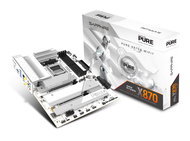
SAPPHIRE NITRO+ X870EA PhantomLink Polar Edition
Motherboard - AMD X870E, AMD AM5 socket, 3× PCIe x16, 4× DDR5 8400MHz (OC), 4× SATA III, 4× M.2, USB 3.2 Gen 2, RJ-45 (LAN) 5Gbps, WiFi, Bluetooth, 7.1 sound card channel(s), form factor: ATX
New arrival 131,190 Ft
In stock > 5 pcs
Order by midnight, get it at the AlzaBox in the morning.
Info
Order Code: ELbx870n2
New arrival 126,590 Ft
In stock > 5 pcs
Order by midnight, get it at the AlzaBox in the morning.
Info
Order Code: ELbx870n1
4.5
ASUS PRIME Z890-P
Motherboard - Intel Z890, Intel 1851 socket, 4× PCIe x16, 4× DDR5 7600MHz (OC), 4× SATA III, 4× M.2, USB 3.2 Gen 2, RJ-45 (LAN) 2,5Gbps, 8ch audio, form factor: ATX
-14 % off new 81,290 Ft New 95,590 Ft
As good as new - in stock 1 pcs
Order Code: ACz890p1
MSI PRO A620AM-G EVO WIFI
Motherboard - AMD A620, AMD AM5 socket, PCI Express 4.0, 1× PCIe x16, 1× PCIe x1, 2× DDR5 7200MHz (OC), 4× SATA III, 2× M.2, RJ-45 (LAN) 2,5Gbps, WiFi, Bluetooth, 7.1 sound card channel(s), form factor: mATX (Micro ATX)
New arrival 40,990 Ft
In stock > 5 pcs
Order by midnight, get it at the AlzaBox in the morning.
Info
Order Code: AAa620e1
MSI PRO A620AM-B EVO
Motherboard - AMD A620, AMD AM5 socket, PCI Express 4.0, 1× PCIe x16, 1× PCIe x1, 2× DDR5 6800MHz (OC), 2× SATA III, 1× M.2, RJ-45 (LAN) 2,5Gbps, VGA, 7.1 sound card channel(s), form factor: mATX (Micro ATX)
31,490 Ft
In stock > 5 pcs
Order Code: AAa620e2
MSI PRO H810M-B
Motherboard - Intel H810, Intel 1851 socket, 1× PCIe x16, 2× PCIe x1, 2× DDR5 6400MHz (OC), 4× SATA III, 1× M.2, RJ-45 (LAN) 2,5Gbps, 8ch audio, form factor: mATX (Micro ATX)
-29 % off new 25,190 Ft New 35,490 Ft
Unsealed - in stock > 5 pcs
Order by midnight, get it at the AlzaBox in the morning.
Info
Order Code: AAh810p1
5.0
GIGABYTE B850 AORUS STEALTH ICE
Motherboard - AMD B850, AMD AM5 socket, 2× PCIe x16, 4× DDR5 8200MHz (OC), 2× SATA III, 4× M.2, USB 3.2 Gen 2, RJ-45 (LAN) 5Gbps, WiFi, Bluetooth, 8ch audio, form factor: ATX
-8 % off new 113,390 Ft New 124,590 Ft
Unsealed - in stock 1 pcs
Order by midnight, get it at the AlzaBox in the morning.
Info
Order Code: AGb850ae4
GIGABYTE B840 EAGLE WIFI6E
Motherboard - AMD B840, AMD AM5 socket, PCI Express 4.0, 4× PCIe x16, 4× DDR5 8200MHz (OC), 4× SATA III, 3× M.2, USB 3.2 Gen 2, RJ-45 (LAN) 2,5Gbps, WiFi, Bluetooth, 7.1 sound card channel(s), form factor: ATX
Discounted -6 % 53,990 Ft 57,990 Ft
In stock 1 pcs
Order Code: AGb840e2
GIGABYTE B860M GAMING WIFI6
Motherboard - Intel B860, Intel 1851 socket, 2× PCIe x16, 2× DDR5 9066MHz (OC), 4× SATA III, 2× M.2, RJ-45 (LAN) 2,5Gbps, WiFi, Bluetooth, 7.1 sound card channel(s), form factor: mATX (Micro ATX)
58,890 Ft
In stock 1 pcs
Order Code: AGb860g3
5.0
ASROCK TRX50 WS
Motherboard - AMD TRX50, AMD TR5 socket, 5× PCIe x16, 4× DDR5 7600MHz (OC), 4× SATA III, 2× M.2, USB 3.2 Gen 2, RJ-45 (LAN) 10Gbps, RJ-45 (LAN) 2,5Gbps, WiFi, Bluetooth, 8ch audio, form factor: eATX (Extended ATX)
-2 % off new 209,590 Ft New 213,890 Ft
Unsealed - in stock 1 pcs
Order by midnight, get it at the AlzaBox in the morning.
Info
Order Code: AStrx50w1
4.8
GIGABYTE Z790 EAGLE
Motherboard - Intel Z790, Intel 1700 socket, 3× PCIe x16, 2× PCIe x1, 4× DDR5 7600MHz (OC), 4× SATA III, 3× M.2, USB 3.2 Gen 2, RJ-45 (LAN) 2,5Gbps, 8ch audio, form factor: ATX
-9 % off new 60,590 Ft New 66,590 Ft
Unsealed - in stock 2 pcs
Order by midnight, get it at the AlzaBox in the morning.
Info
Order Code: AGz790e1
ASUS PRIME B850M-F
Motherboard - AMD B850, AMD AM5 socket, 1× PCIe x16, 1× PCIe x1, 2× DDR5 8400MHz (OC), 4× SATA III, 2× M.2, RJ-45 (LAN) 1Gbps, 8 sound card channel(s), form factor: mATX (Micro ATX)
50,290 Ft
In stock > 5 pcs
Order Code: ACb850p4
4.0
ASROCK A620AM-HVS
Motherboard - AMD A620, AMD AM5 socket, PCI Express 4.0, 1× PCIe x16, 2× PCIe x1, 2× DDR5 6800MHz (OC), 2× SATA III, 2× M.2, RJ-45 (LAN) 1Gbps, VGA, 8ch audio, form factor: mATX (Micro ATX)
-10 % off new 24,590 Ft New 27,590 Ft
Unsealed - in stock 2 pcs
Order by midnight, get it at the AlzaBox in the morning.
Info
Order Code: ASa620h3
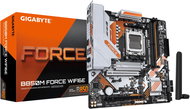
GIGABYTE B850M FORCE WIFI6E
Motherboard - AMD B850, AMD AM5 socket, 2× PCIe x16, 2× DDR5 9600MHz (OC), 4× SATA III, 3× M.2, USB 3.2 Gen 2, RJ-45 (LAN) 2,5Gbps, WiFi, Bluetooth, 7.1 sound card channel(s), form factor: mATX (Micro ATX)
-5 % off new 47,390 Ft New 49,890 Ft
Unsealed - in stock 1 pcs
Order Code: AGb850f2
ASROCK WRX90 WS EVO
Motherboard - AMD WRX90, AMD TR5 socket, 7× PCIe x16, 8× DDR5 7600MHz (OC), 4× SATA III, 2× M.2, USB 3.2 Gen 2, RJ-45 (LAN) 10Gbps, 8ch audio, form factor: EEB
-5 % off new 294,490 Ft New 309,990 Ft
Unsealed - in stock 1 pcs
Order Code: ASwrx90w1
2.5
ASROCK B550M PHANTOM GAMING 4
Motherboard - AMD B550, AMD AM4 socket, PCI Express 3.0, 2× PCIe x16, 1× PCIe x1, 4× DDR4 4733MHz (OC), 4× SATA III, 2× M.2, RJ-45 (LAN) 1Gbps, 8ch audio, form factor: mATX (Micro ATX)
-5 % off new 28,590 Ft New 30,390 Ft
Unsealed - in stock 3 pcs
Order Code: AS258g44
4.0
ASUS TUF GAMING A620AM-PLUS WIFI
Motherboard - AMD A620, AMD AM5 socket, PCI Express 4.0, 1× PCIe x16, 1× PCIe x1, 4× DDR5 7600MHz (OC), 4× SATA III, 2× M.2, USB 3.2 Gen 2, RJ-45 (LAN) 2,5Gbps, WiFi, Bluetooth, 8 sound card channel(s), form factor: mATX (Micro ATX)
42,290 Ft
Unsealed - in stock 1 pcs
Order Code: ACa620at1
3.0
GIGABYTE B760 GAMING X WIFI6E GEN5
Motherboard - Intel B760, Intel 1700 socket, 3× PCIe x16, 4× DDR5 5600MHz (OC), 4× SATA III, 3× M.2, USB 3.2 Gen 2, RJ-45 (LAN) 2,5Gbps, WiFi, Bluetooth, 8ch audio, form factor: ATX
41,390 Ft
Unsealed - in stock 1 pcs
Order by midnight, get it at the AlzaBox in the morning.
Info
Order Code: AGb760a1
3.7
ASROCK B860M Pro-A
Motherboard - Intel B860, Intel 1851 socket, 1× PCIe x16, 1× PCIe x4, 4× DDR5 8666MHz (OC), 4× SATA III, 3× M.2, RJ-45 (LAN) 2,5Gbps, 8ch audio, form factor: mATX (Micro ATX)
-6 % off new 40,690 Ft New 43,290 Ft
Unsealed - in stock 1 pcs
Order Code: ASb860p7
24 more... Top
1 ... 45678 ... 14
 

PC configurator - Motherboards

PC configurator - Motherboards

The motherboard (also commonly referred to as the mainboard) is an indispensable element of every computer. It plays a vital role in the interconnection of the individual components and has a number of parameters that are critical to the proper operation of the entire system. Which motherboard is right for you is what we will tell you in this article.

Motherboards are divided into categories determined by the type of processor socket. Therefore, it is necessary that the selected processor is totally compatible. When selecting a particular model more detailed specifications of the motherboard must be taken into account. They should promote an adequate amount of RAM and offer enough slots for the memory modules. Furthermore, it should have modern slots such as PCI-Express x16, PCI Express x1 and PCI expansion cards for connection. For the use of hard drives and optical drives SATA II connectors are required, together with the older SATA and IDE Ultra ATA (for optical drives). To connect external devices they should also have important inputs and outputs. The standard USB 2.0 connectors are suitable are E-SATA or FireWire connectors. Motherboards usually have integrated sound and network cards, and some models have built-in graphics cards, that easily connect to monitors.

Was this information useful?
This form is used only for evaluating the information in the description above.
If you have any question about our products, services, transport or any other request, please contact our customer support.
What should be improved? Is anything missing here? Is anything wrong? Share it with us.
P-DC1-WEB25