


TP-Link SG2008P, Omada


TP-Link SG2008P, Omada

TP-Link SG2008P 8-port switch
- PoE with 62W power budget – 4× 802.3at/af-compliant PoE+ ports with a total power output of 62W
- Full gigabit ports – 4× gigabit PoE+ ports and 4× gigabit non-PoE ports provide high-speed connectivity
- Integrated into Omada SDN – Zero-Touch Provisioning (ZTP), centralised cloud management, and intelligent monitoring
- Centralised management – Cloud access and the Omada app for maximum convenience and easy management
- Robust security strategies – IP-MAC-Port Binding, ACL, Port Security, DoS Defend, Storm control, DHCP Snooping, 802.1X, Radius Authentication, and more
- Optimised voice and video applications – L2/L3/L4 QoS and IGMP snooping
JetStream 8-port gigabit smart switch with 4 PoE+ ports
TP-Link SG2008P
The TP-Link SG2008P switch can power PoE devices such as IP cameras, access points, and IP phones. You can also use it with non-PoE wired devices to provide gigabit connections for devices like computers, printers, and IPTVs. It has a total of 8 ports, 4 of which support PoE with a maximum total power budget of 62W. This saves you a power cable and simplifies cable management.

The switch features 4 sought-after PoE ports
The benefit of the TP-Link SG2008P switch is its 4 ports that support PoE+ power (802.3af/at compliant), allowing you to run devices like an access point, VoIP phones, printers, or IP cameras. The total power budget is 62W.
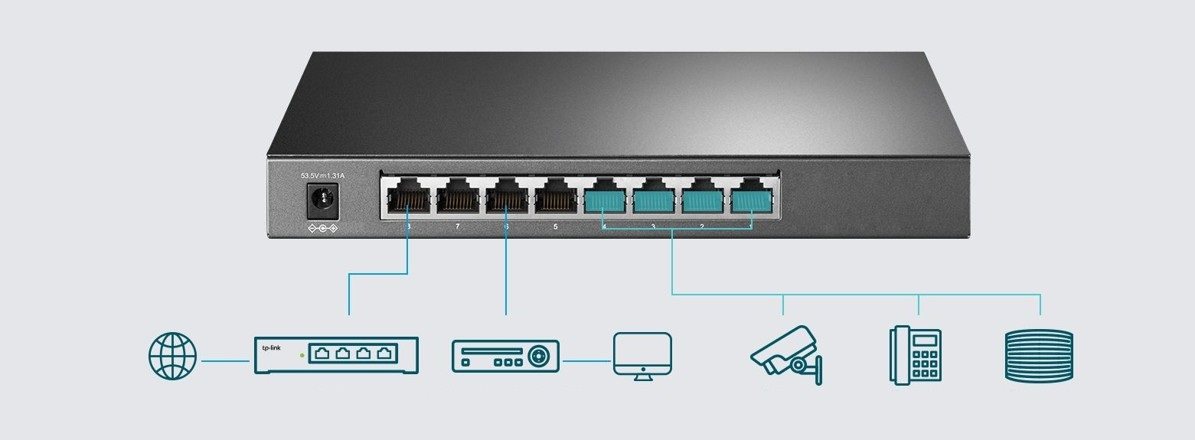
The TP-Link SG2008P switch provides access to useful features
With QoS, you can easily set the priority for data transfers and selected applications, minimising frustrating delays. For even better security, you can use VLANs to logically group managed devices into LANs. This helps to reduce network congestion while improving security. The TP-Link SG2008P switch also lets you use ACL, which acts as a virtual administrator for creating and implementing network rules.

Omada—software-defined networking with cloud access
The TP-Link SG2008P can be easily integrated into Omada, which unifies access points, switches, and gateways, providing 100% centralised cloud management. With Omada, you can easily create a highly scalable network with simple wireless and wired connectivity. It is ideal for use in offices, retail, education, or hospitality.

Simple network management with the Omada app
Use the free Omada app and follow the on-screen setup instructions. The whole process takes just a few minutes. Through the Omada app, you can easily manage clients, change settings, or monitor your network status—right from your phone or tablet.

Specifications
Type
Functions
Ports
Number of LAN ports
PoE properties
Routing
Features
Speed
Dimensions
Material
Operating temperature

TP-LINK Czech s.r.o., Pekařská 10a, 15500 Praha 5, Česko, [email protected], www.tp-link.com
TP-LINK Czech, s. r. o., Pekařská 695/10, Jinonice, 155 00 Praha 5, CZ +420 212 812 622 / SK +421 233 006 532, [email protected]
Specifications can be changed without notice. Images are for illustrative purposes only.
